Page 22
Before You Start
• Your vehicle must be scanned before viewing the data. If
DATA is pressed, and the vehicle has not been scanned,
the scanner will display
Press the Scan key to
Scan New Data
. Refer to “Key ON, Engine OFF
(KOEO) Scan” on page 17.
• Memory Codes are intermittent faults that are detected by
the vehicles computer during normal operation, and are
stored in memory.
1. Press POWER to display the EZ-Read
scanner opening screen.
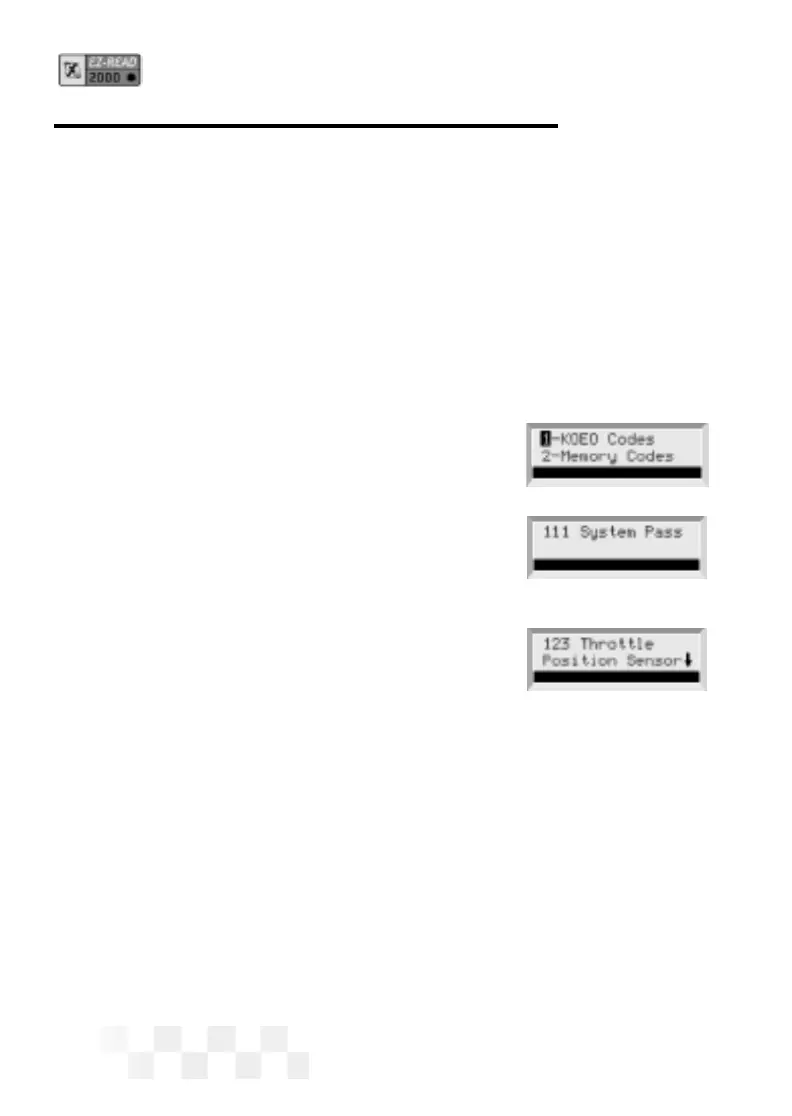
2. Press DATA to display the Data menu.
Use the
pand qarrow keys until
2-Memory Codes is highlighted,
then press
ENTER.
3. If no Memory Codes are in the vehicle’s
computer, code 11 or code
111 System
Pass
will be displayed. If a Memory Code
is detected, the fault and its description will
be displayed on the scanner screen. The
fault code number will be displayed in the
upper left corner of the screen.
• A down arrow on the screen indicates more information. Use
the
pand qarrow keys to view the additional text.
• Use the
tand uarrow keys to view any other faults.
4. Press DATA to exit Data mode and display the opening screen.
VIEW THE MEMORY (TROUBLE) CODES - FORD


 To Next Page