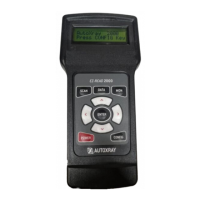
Your EZ-Link EZ-Read Will:
• Pull Trouble Codes and display them in plain English
• Allow you to clear Trouble Codes (on equipped vehicles)
• Reset your
Check Engine Light
AutoXray has made sure your new EZ-Read is
computer safe. It
WILL NOT accidentally deploy airbags, change
transmission gears, affect ABS brake performance, or fire injectors
and ignition systems.
Additional Features:
OBD-II (for 1996 and newer Domestic, Asian and European
OBD-II compliant vehicles) -
• Freeze Frame Indicate
• Display Readiness Test Status
• Show Current Trouble Codes
• Show Pending Trouble Codes
Text Styles Used In This Manual
POWER text in this font is used to designate a
button/key on the front of the EZ-Read
Config Unit text in this font is used to designate text that is
displayed on the EZ-Read screen
WARNING: the word WARNING in this font is used to
identify an operation or activity that could cause
severe property damage or personal injury
CAUTION: the word CAUTION in this font is used to
identify an operation or activity that could cause
property damage or personal injury
INTRODUCTION (CONT.)
Page 5


 To Next Page