4
Temperature
Controller Settings
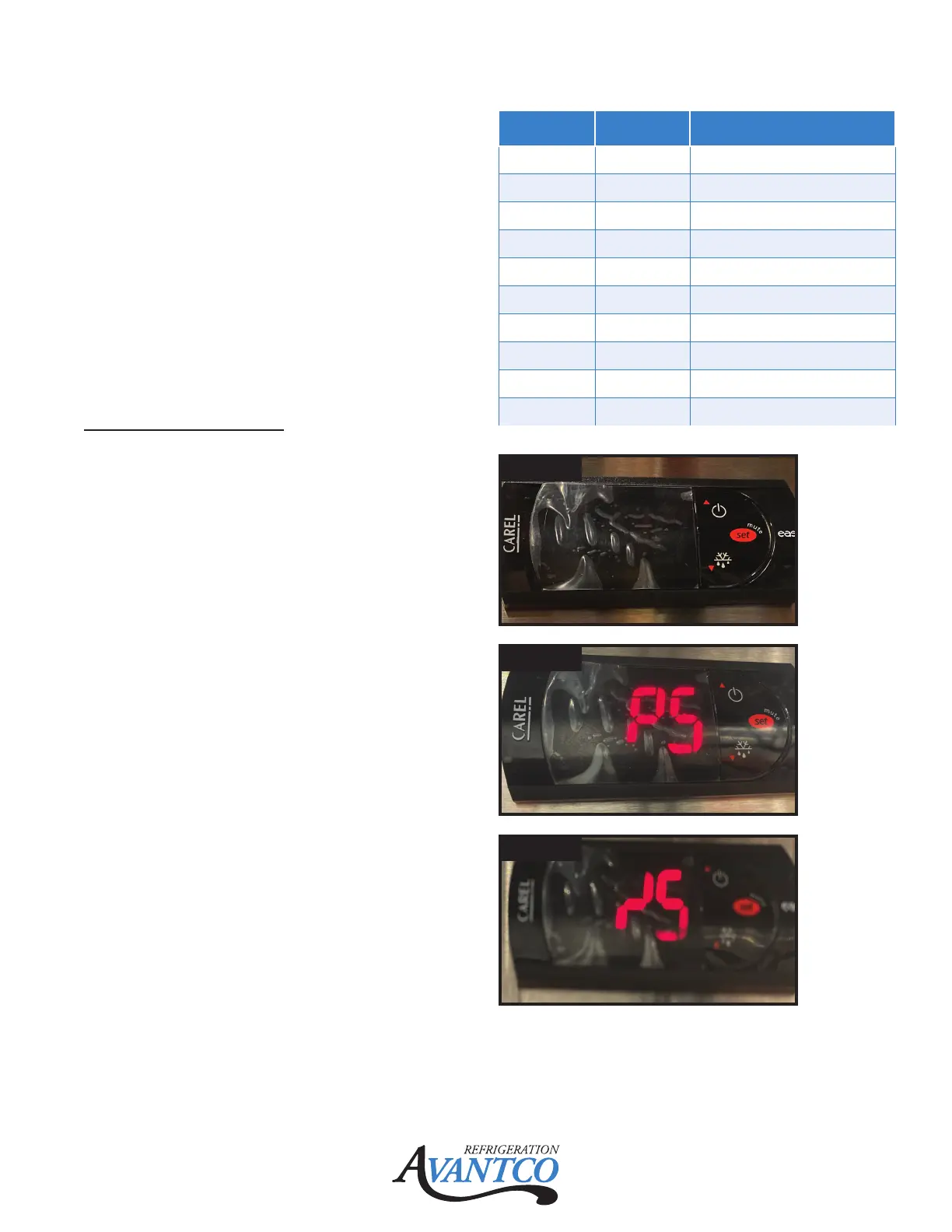
1. To access settings on temperature
controller, press and hold the "SET" button
until the display flashes with "PS". (Fig. 2)
2. Press the "SET" button again to display a
blinking "0".
3. Push the "up arrow/power" button until the
display shows 22.
4. Press the "Set" button to enter the
programming mode of the controller.
5. To save any changes that are made, press
and hold the "SET" button until the set point
temperature shows on the controller display.
P5 = Password setting
0 to 200 is range setting
Default = 22 (recommend not to change)
(Fig. 2)
/5 = Temperature select °C / °F
0 = °C
1 = °F
Use up or down arrow to change from 0 or 1,
then press "Set" button to keep the option.
Default = 1 (Fig. 3)
Mode Setting Display
/5 1 Temperature Unit F/C
/c1 0 Cabinet Oset
/c2 0 Evap Oset
rd 7 Dierential
rl 33 Low Limit
r2 43 Hi Limit
C0 2 Compressor Delay
dl 6 Defrost Interval Time
dt1 N/A Defrost Termination Temp
dP1 20 Max Defrost Duration
Fig. 1
Fig. 2
Fig. 3


 To Next Page