Issue 1 May 2009 13
Avaya - Proprietary. Use pursuant to the terms of your signed agreement or Avaya policy.
DRAFT - January 25, 2009 - 1:38 PM
Chapter 4: Connect EM200 expansion modules to
the G430
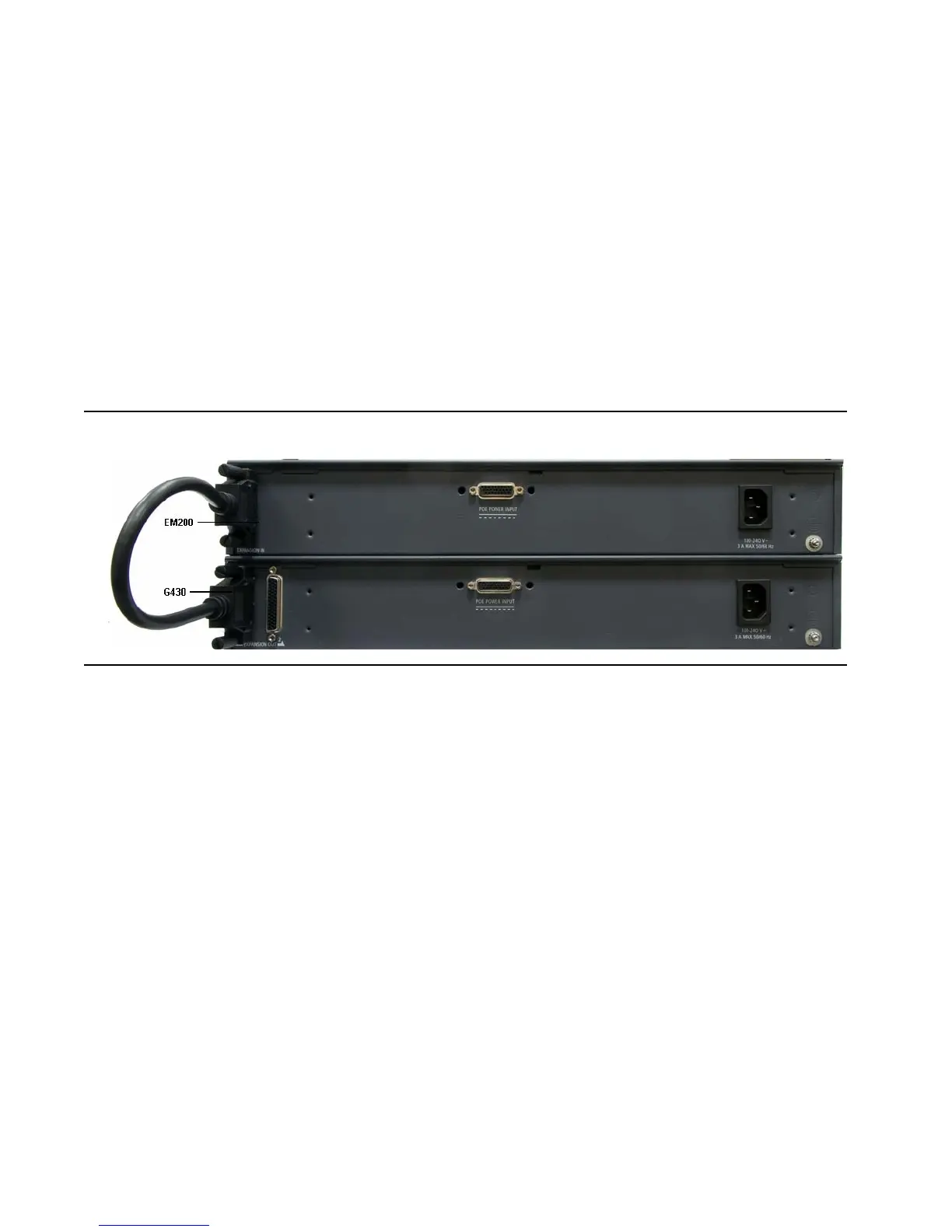
If you mounted one or two EM200 modules for the purpose of expanding the G430, connect each EM200 to
the G430 using the expansion cable supplied with each EM200.
1. If you mounted one EM200:
a. Connect one end of the expansion cable to the CONNECTOR OUT 1 connector on the rear of the
G430.
b. Connect the other end of the expansion cable to the CONNECTOR IN connector on the rear of the
EM200.
Figure 5: Connecting an EM200 to the G430
2. If you mounted two EM200 modules, connect one EM200 to the CONNECTOR OUT 1 connector on
the rear of the G430, and one EM200 to the CONNECTOR OUT 2 connector on the rear of the G430.


 To Next Page