Installing an S8300 Server Module
Issue 1 May 2009 17
Avaya - Proprietary. Use pursuant to the terms of your signed agreement or Avaya policy.
DRAFT - January 25, 2009 - 1:38 PM
Installing an S8300 Server Module
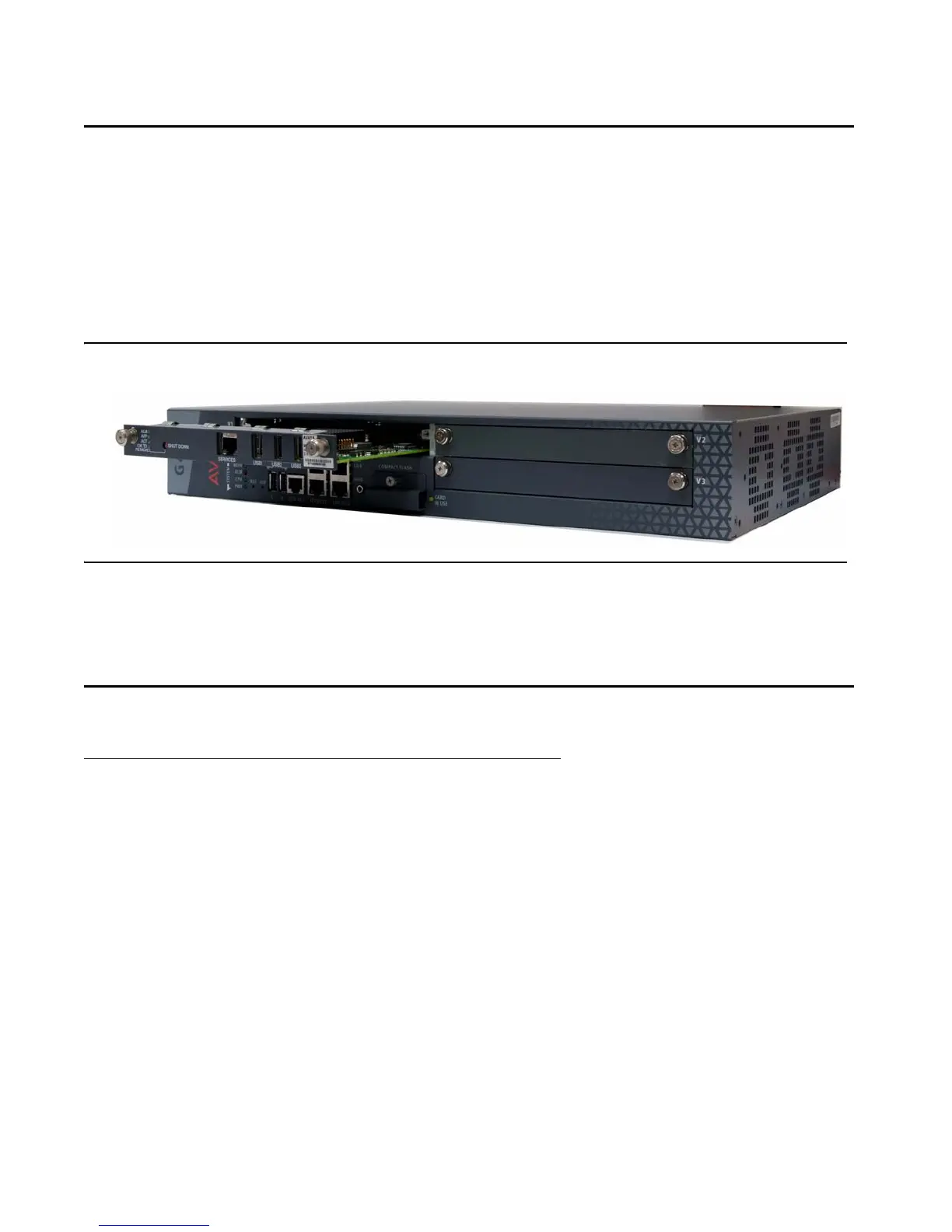
The S8300 can only be inserted in slot V1 on the left side of the Avaya G430 Media Gateway.
1. Remove the blank plate from slot V1.
2. Position the media module before the V1 bay opening and engage both sides of the module in the
interior guides.
3. Slide the S8300 module slowly into the chassis. Maintain an even pressure to ensure that the module
does not become twisted or disengaged from the guides.
Figure 8: Inserting the S8300 Server module
4. Apply firm pressure to engage the connectors.
5. Tighten the spring-loaded captive screws on the front of the module to lock the S8300 Server module
into the chassis.
Installing other Media Modules
Combination Limitations
The G430 chassis is designed to accommodate:
● Up to three of the following telephony media modules: MM710, MM711, MM712, MM714, MM714B,
MM720, MM722
● Up to two of the following telephony modules: MM716, MM717
● Up to one S8300 server
Each EM200 chassis is designed to accommodate:
● Up to two of the following telephony media modules: MM710, MM711, MM712, MM714, MM714B,
MM716, MM717, MM720, MM722


 To Next Page