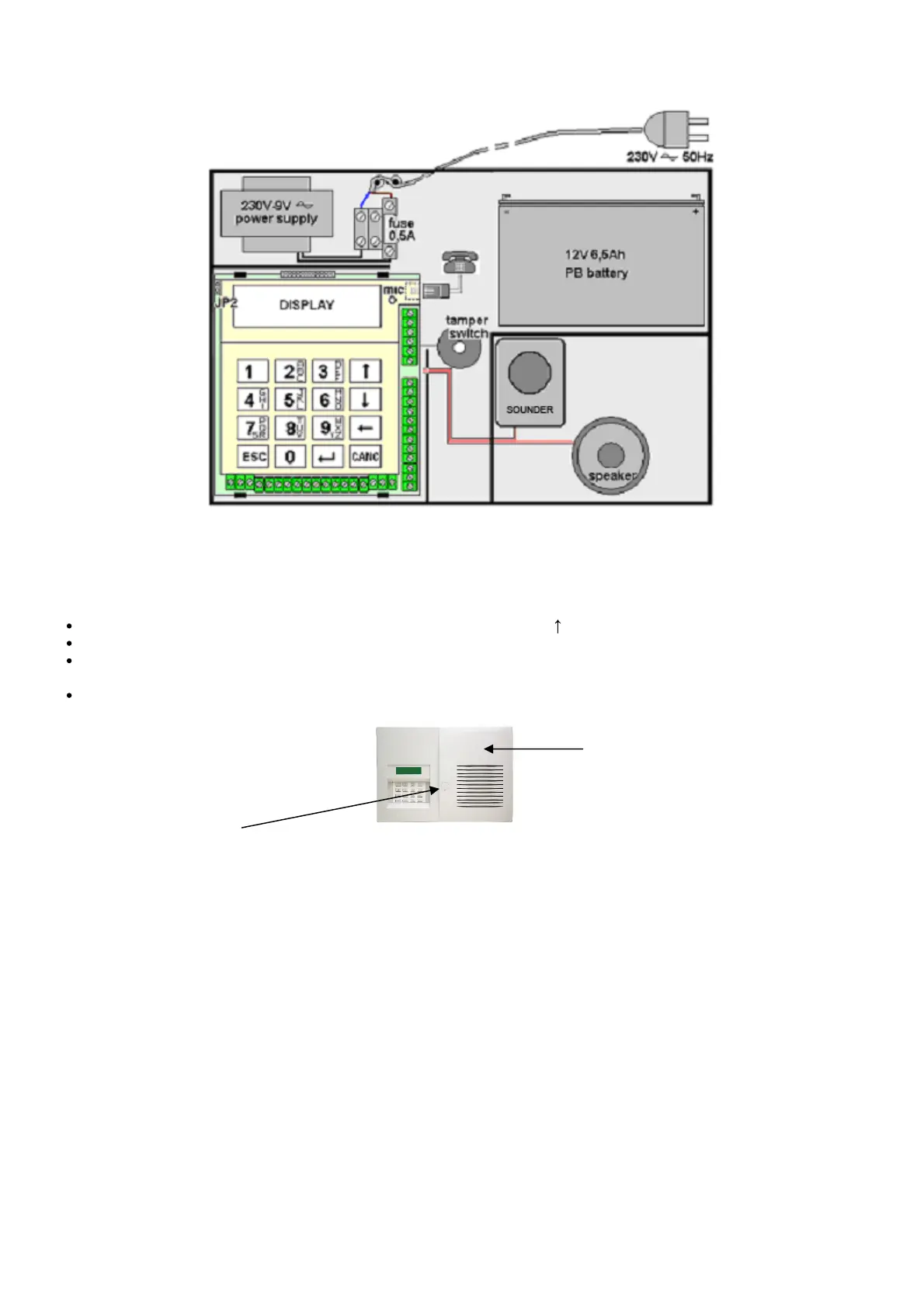
INTERNAL VIEW OF THE CONTROL PANEL
BATTERY REPLACAMENT
To replace the battery, proceed as follows:
Set the control panel to test mode by inserting the code followed by
Open the enclosure by unscrewing the fastening screw seated under the special plug
Replace the battery (spare part code AF912), housed in its seat by observing the given polarities( red wire:
positive pole +; black wire: negative pole -).
Close the enclosure again



 To Next Page