Notebook User Guide
16
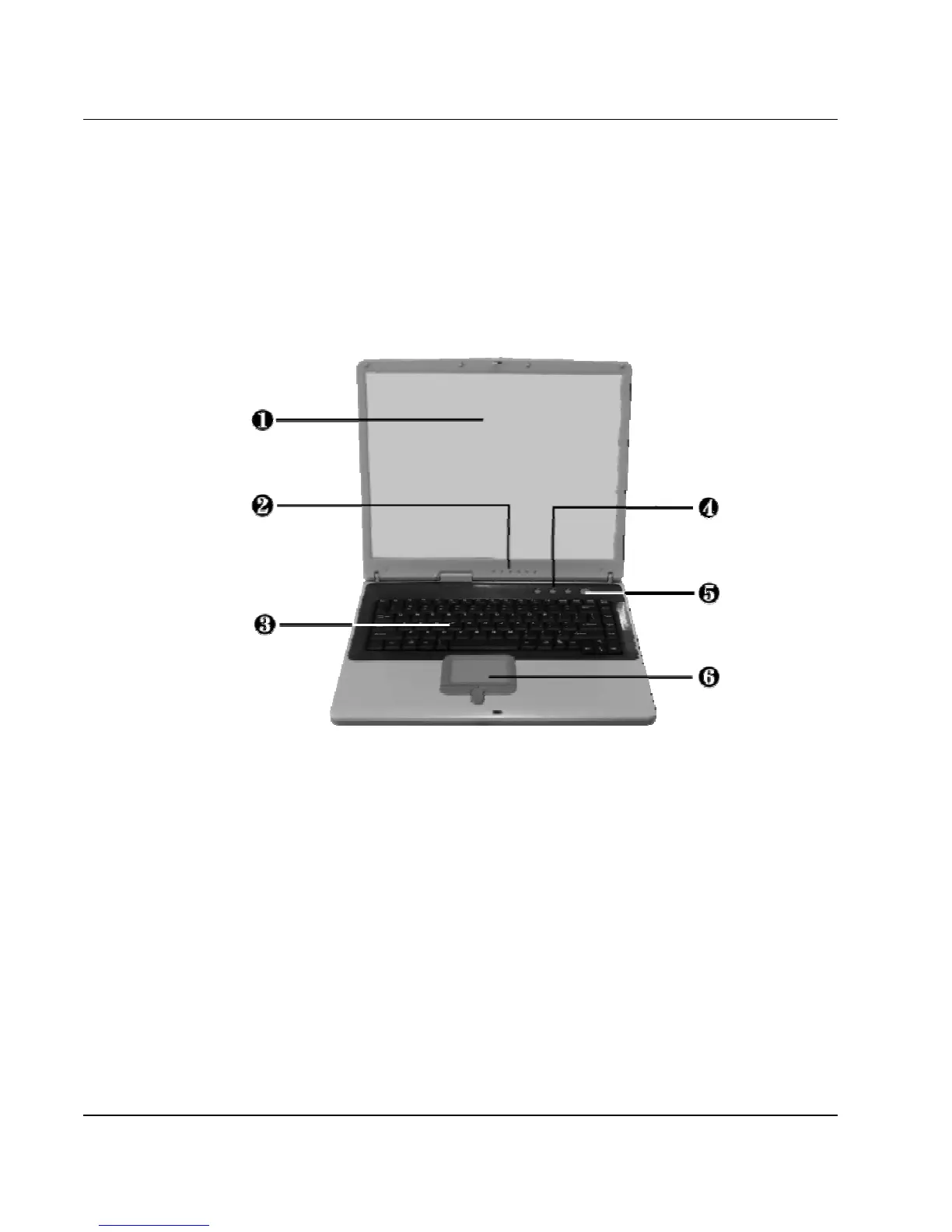
1.3 The Inside of the Notebook
The notebook computer is compact with features on every side. First, look
at the inside of the system. The following sections describe inside features.
1. Color LCD Display 2. Status LED Indicators
3. Keyboard 4. Easy Buttons
5. Power On/Resume Button 6. Touchpad Pointing Device
• Color LCD Display
The notebook computer comes with a color LCD that you can adjust for
a comfortable viewing position. The LCD is 15" TFT color LCD with
1024x768 XGA (Extended Graphics Array). The features of the Color
LCD Display are summarized as follows:
⇓ TFT color LCD with 15" 1024x768 XGA resolution panel.



 To Next Page