23
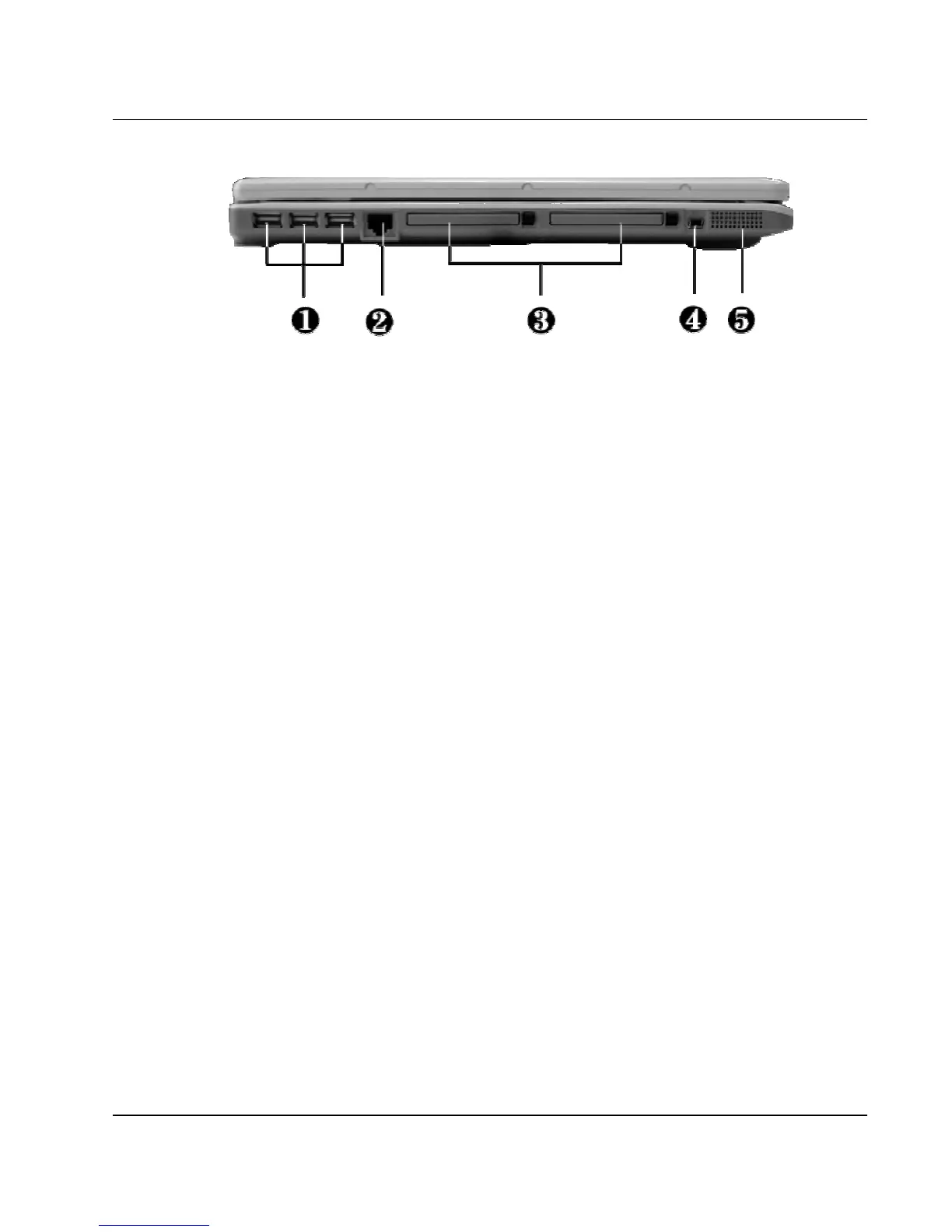
1. USB Ports 2. LAN Port
3. PC Card Slot 4. IEEE 1394
5. Built-in Stereo Speakers
Left Side Features
• USB Port
The Universal Serial Bus (USB) port allows you to connect up to 127
USB-equipped peripheral devices (for example, printers, scanners and so
on) to your notebook computer.
• LAN Port
An internal 10Base-T/100Base-TX LAN module connects your
computer to other computers/networks through a local area network
(LAN).
• PC Card Slot
⇓ Lets you connect various PC cards such as a memory card
⇓ Supports both 3V, 5V 32-bit CardBus and 16-bit PC cards.
• IEEE 1394
IEEE 1394 port is a high speed I/O port that can transfer high levels of
data in real-time, such as external hard disk, Digital Video Camera.



 To Next Page