73
1. Turn off your computer and make sure the monitor power switch is
turned off.
+ The notebook computer must be powered off or suspended while the
monitor is being connected. Although you can connect the external
Monitor without power off the computer and the external monitor,
however, it is harmful to both devices and it shortens the life of these
devices.
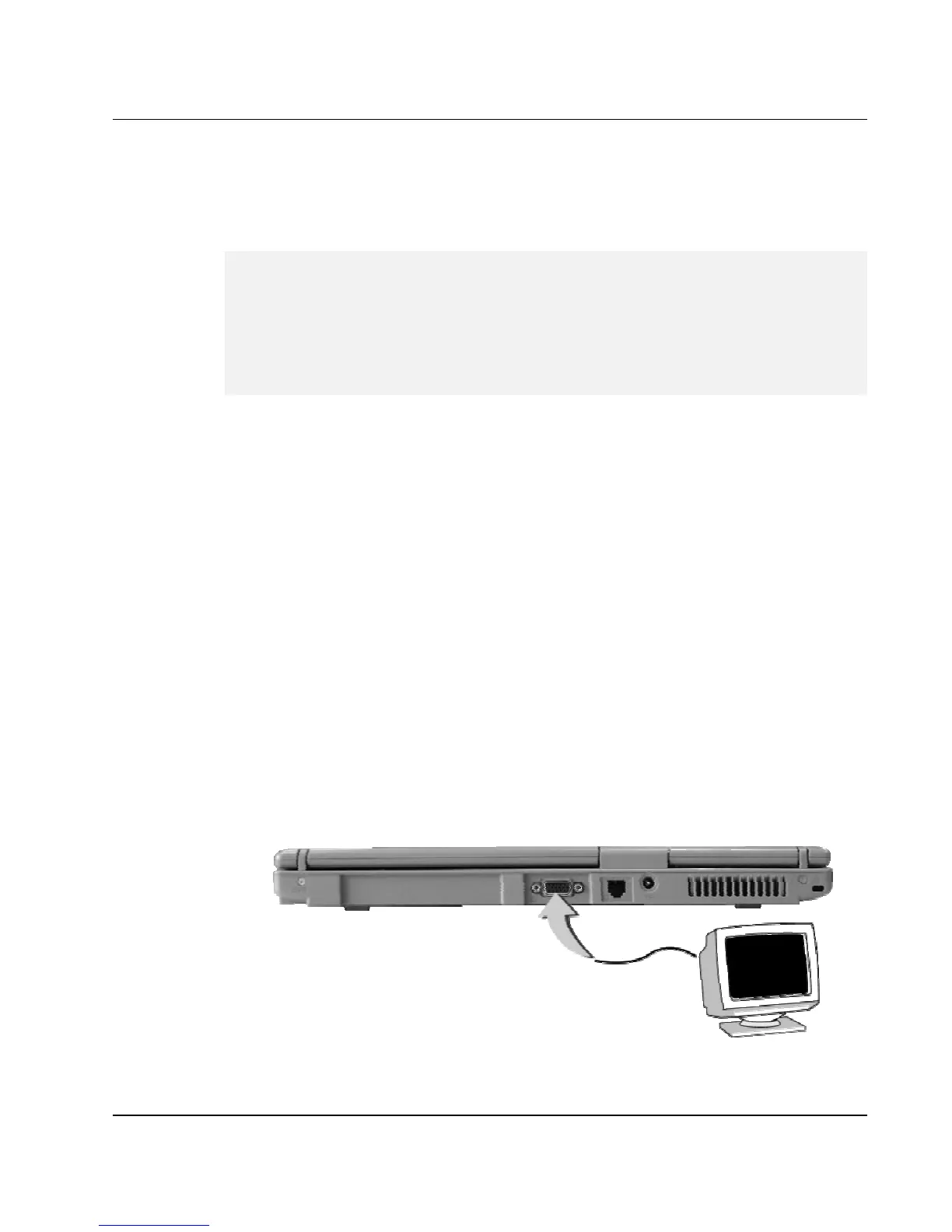
2. Connect the connector cable of the monitor to the VGA port at the back
of your computer. Secure the cable connection with the screws provided.
3. Connect the monitor power cable and plug it into a properly grounded
wall outlet.
4. Turn on the power of the monitor.
5. Turn on your computer. Both the LCD panel and the monitor screen will
show the display. Your computer is set at default to run at simultaneous
display mode.
6. If you only want to show the display on the external monitor or
projector and shut off the LCD display, you can use the <Fn> + <F3>
hot-key to switch display type between LCD and external monitor. Keep
pressing the hot-key until you get the display to external monitor only.



 To Next Page