2-14 Operator's Handbook
Loading Labels for Peel Mode with Liner Take- Up (Optional)
Use internal liner take-up with peel mode. Liner is collected on a take-up reel near the
supply roll.
Note: Your System Administrator must set the printer to liner take-up (feed mode).
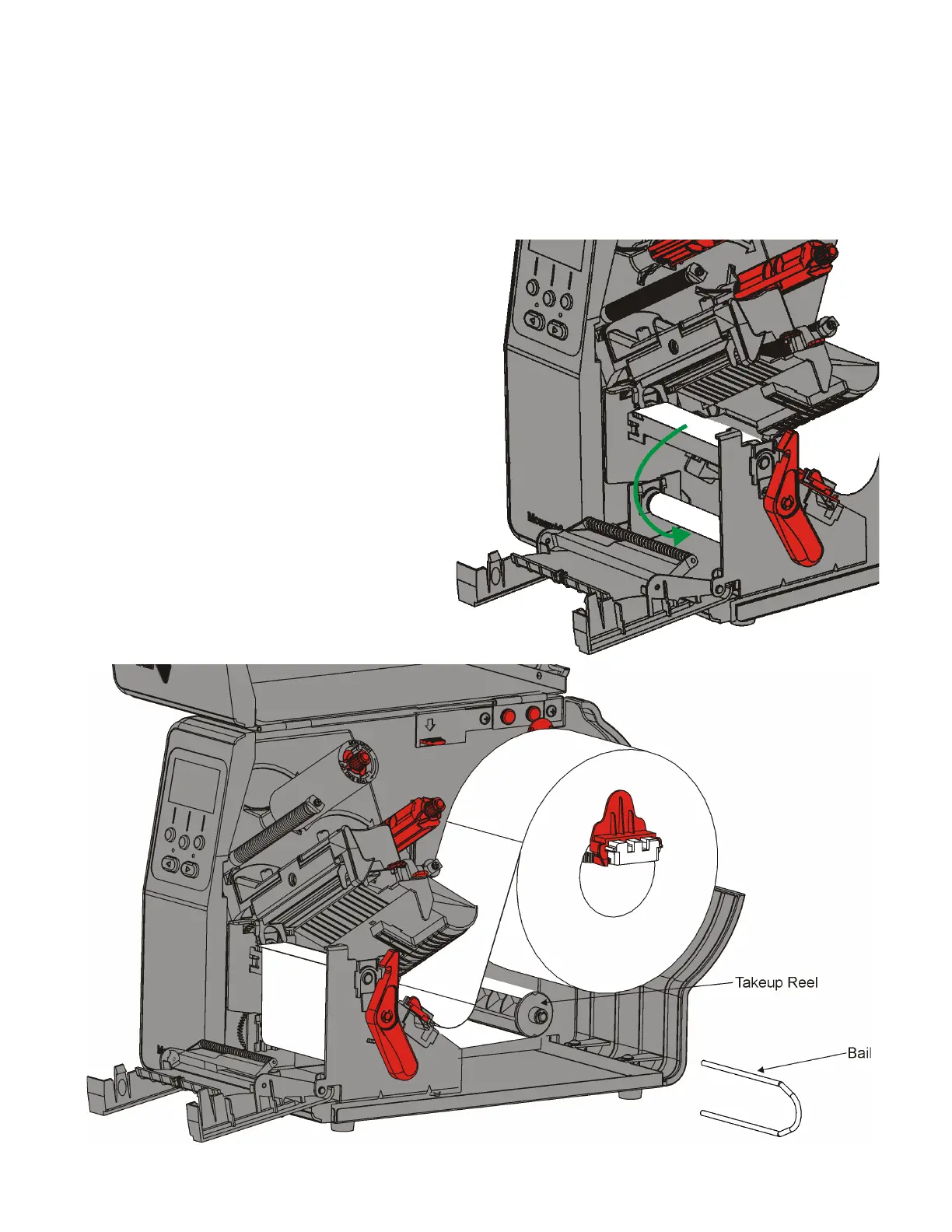
Remove the labels from the first 18 inches of the liner. Load supplies for peel mode,
leaving at least 18 inches extending past the printhead.
1. Unlock and lift the printhead assembly until it locks into place.
2. Open the exit cover.
3. Feed the liner under the peel roller.
4. Remove the bail.
5. Wrap the liner around the take-up
reel in a counter-clockwise
direction.












 To Next Page