Chapter 3: Remote Operation 19
Configuring MIDI Studio
Setup for Pro Tools | PRE
(Windows Only)
The following are basic instructions for configur-
ing PRE in MIDI Studio Setup (MSS). For more
information on MSS, see the Setup Guide for your
system.
To define PRE with MIDI Studio Setup:
1 In Pro Tools, choose Setup > MIDI > MIDI Stu-
dio
. The MIDI Studio Setup window opens.
2 Click Create.
3 In the Instrument Name field, type PRE, and
press enter.
4 Select Digidesign and PRE from the corre-
sponding pop-up menus.
5 From the Input pop-up menu, choose the input
port on your MIDI interface that is connected to
the MIDI Out of the PRE.
6 From the Output pop-up menu, choose the out-
put port on your MIDI interface that is con-
nected to the MIDI In of the PRE.
7 Enable the appropriate MIDI channels (1–16)
for the Send Channels and Receive Channels
options (These determine which channels send
and receive MIDI.)
8 Pro Tools supports the use of up to nine PREs at
the same time. If you use multiple PREs, make
sure that none of the PREs are assigned to the
same MIDI channel, and that all PREs are
daisy-chained together (as noted in “MIDI Con-
nections” on page 16).
Configuring Pro Tools
Software for Pro Tools | PRE
Once PRE has been configured in AMS or MSS, it
can be declared in the Pro Tools Peripherals dialog
and mapped in the I/O Setup dialog, in order to es-
tablish communication between Pro Tools and
PRE.
Declaring PRE in Pro Tools
Each PRE must be declared in the Pro Tools Pe-
ripherals dialog.
To declare PRE in Pro Tools:
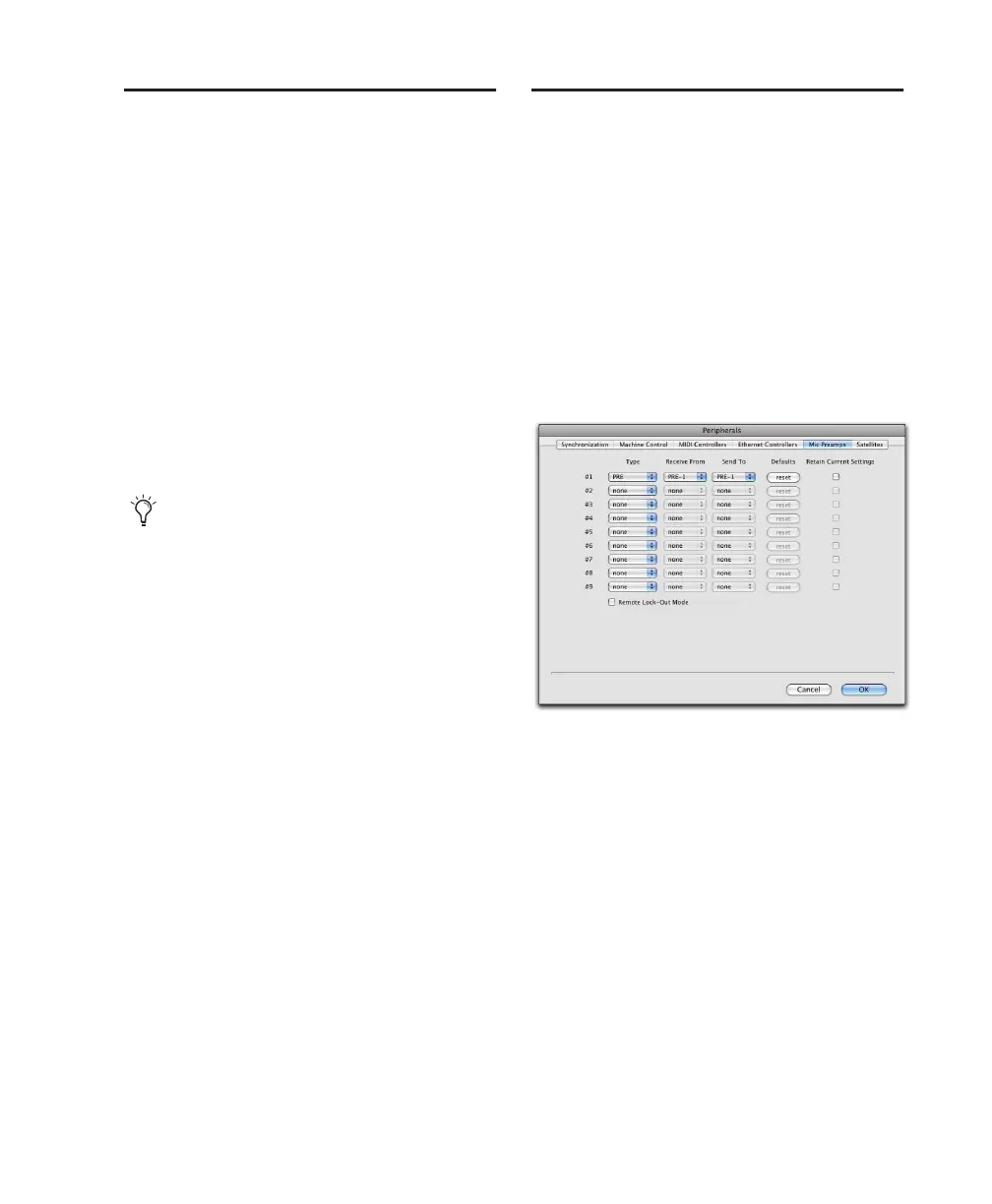
1 Choose Setup > Peripherals and click the Mic
Preamps
tab.
2 Select PRE from the Type pop-up menu.
3 From the Receive From menu, choose the
source port for the connected PRE and the cor-
responding MIDI channel to receive data. It is
important to choose the correct MIDI channel if
using multiple PREs, as the software will not
know how the PREs are connected to your sys-
tem except by MIDI channel assignments.
If you do not enter an instrument name, the
Instrument Name field will automatically in-
herit information from the Manufacturer and
Model pop-up menu.
Declaring a PRE in the Peripherals dialog


 To Next Page