Chapter 1: Introduction 1
Chapter 1: Introduction
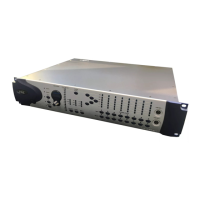
Pro Tools | PRE™ is designed especially for use
with Pro Tools
®
systems, but it can also be used as
a stand-alone microphone preamplifier. When
used with Pro Tools, most PRE features can be
controlled from within the Pro Tools application.
With or without remote control, PRE can be con-
figured manually using its front panel switches and
displays.
PRE can also be remotely-controlled by other
MIDI devices through standard MIDI controller
data. See Chapter 6, “MIDI Controller Numbers.”
Pro Tools | PRE Features
• Eight high-performance, discrete matched tran-
sistor hybrid microphone preamplification cir-
cuits
• Remote control with qualified Pro Tools sys-
tems and control surfaces (such as D-Control™,
D-Command
®
, C|24™, and Command|8
®
)
• Industry-standard DB-25 output connectors for
easy connection to Pro Tools audio interfaces or
any other recording or mixing medium
• Each channel features:
• Support for microphone (XLR), line level
inputs (1/4-inch), or direct instrument (1/4-
inch)
• Selectable impedance settings for Mic input
• Input gain variable from 0 dB to +69 dB, in
approximately 3 dB steps, with an optional
–18 dB pad
• +48V power for condenser microphones
• Balanced Insert points (Send and Return), for
easy integration of outboard gear (such as
compressors or EQs)
• Phase invert
• 85 Hz High-Pass Filter
• Up to nine PREs supported through software for
up to 72 channels of remote-controlled pream-
plification
• All features available in Stand-alone mode
What’s Included
• PRE unit
• AC power cable
• PRE Guide
• Health and Safety Guide
• Registration Information Card


 To Next Page