Pro Tools | PRE Guide24
Viewing Mic Preamp Controls
in Pro Tools
Both the Mix and Edit windows can be configured
to show or hide PRE controls.
To show or hide Mic Preamp controls in the Mix
and Edit windows:
Choose View > Mix Window or View > Edit Win-
dow
, or click the View Selector in the Edit win-
dow or Mix window, and do one of the
following:
• Select
Mic Preamps View to show all Mic
Preamp controls, or deselect to hide.
• Select
All to display the Pro Tools input/out-
put controls, Mic Preamps, inserts, sends, and
comments.
• Select
None to hide Pro Tools input/output
controls, Mic Preamps, inserts, sends, and
comments.
Mic Preamp Controls
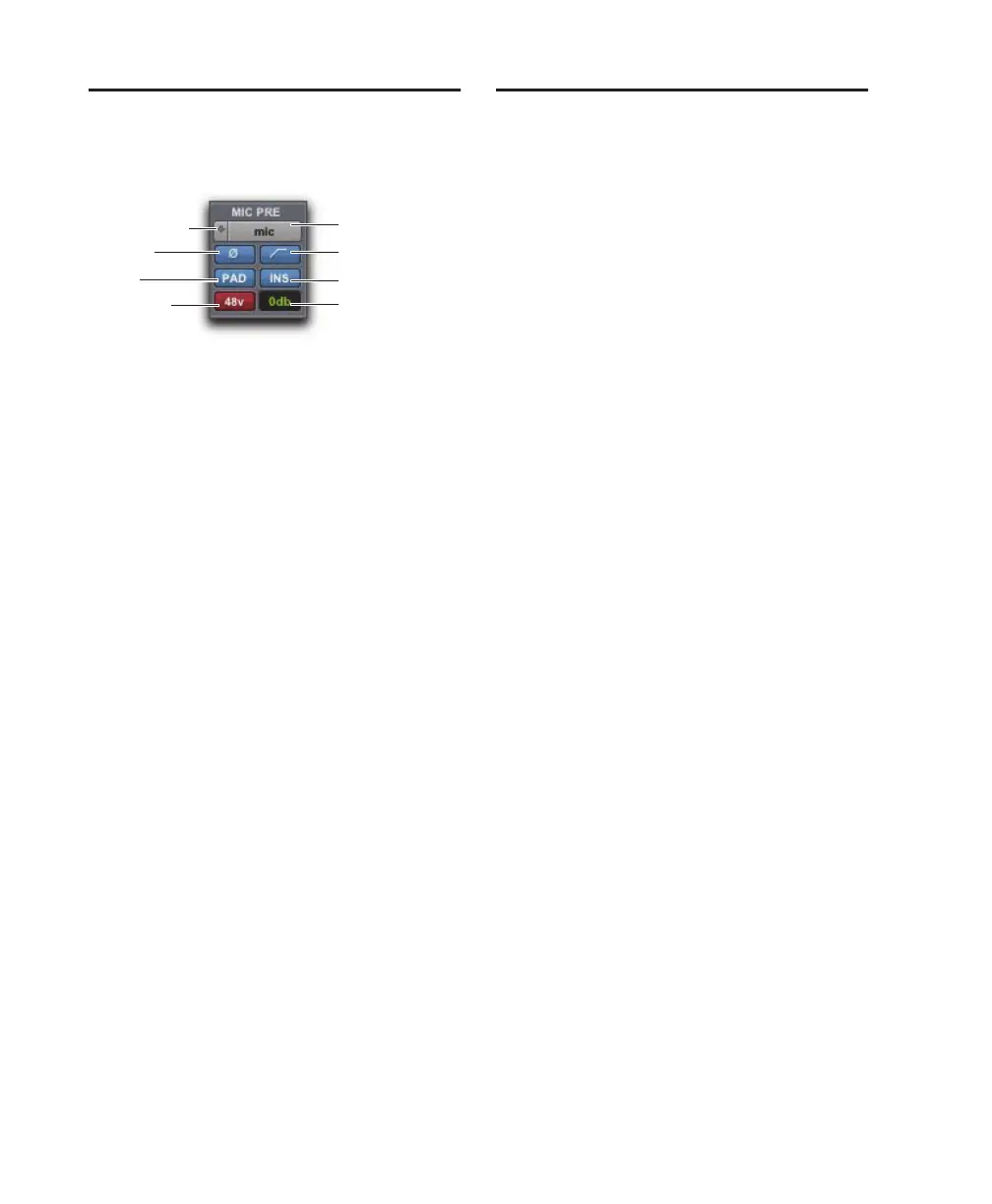
The Mic Preamps view provides all the essential
controls for a PRE channel in the Mix and Edit
windows.
Source and Input Impedance Selector
Clicking the up/down arrows in the Mic Preamp
window accesses two sets of controls. The top half
of this pop-up menu sets the input source for the
PRE channel to Mic, Line, or DI (instrument). The
bottom half of this pop-up menu sets the input im-
pedance for a PRE channel to 1.5 k,15k,or
1.5 M.
For more information see “Input Impedance (Rep-
resented as Z)” on page 8 and “Source Switch and
LEDs” on page 7.
Mic Preamp Window Button
Clicking the Mic Preamp Window button
(labeled mic, inst, or DI) opens a floating Mic Pre-
amp window, an alternative to Mix and Edit win-
dow views. See “Mic Preamp Window” on
page 25.
Phase Button
This button applies phase reversal to individual
channels.
High-Pass Filter Button
This button applies a high-pass filter to individual
channels.
Each PRE channel includes a high-pass filter with
a center frequency of 85 Hz and a roll-off of –18
dB/octave. Use the high-pass filter to remove mi-
crophone proximity effects, hum, rumble, wind,
and other low frequency sounds.
Mic Preamps View, Mix window
Source and
Impedance
HPF
Insert
Mic Pre window
Pad
Phantom
Power
Phase
Gain


 To Next Page