Pro Tools | PRE Guide26
Mic Preamp Window Controls
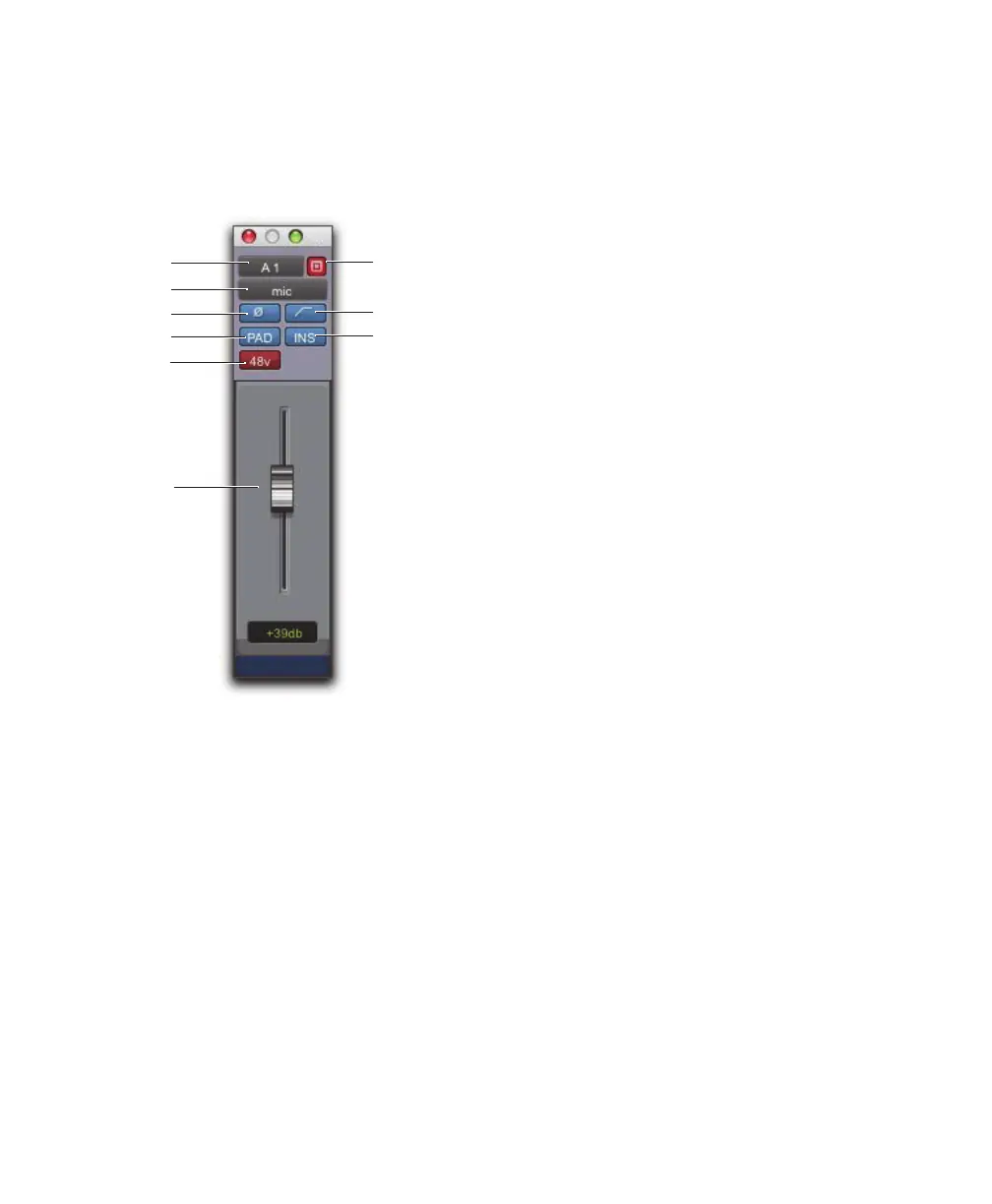
Mic Preamp windows provide standard selectors
for PRE controls and other controls in the top area
of the window.
Standard Controls
Refer to “Mic Preamp Controls” on page 24 for a
description of Mic Preamp view controls that are
mirrored in the Mic Preamp window. The follow-
ing controls are not available in Mic Preamps
view:
Input Selector
Allows you to change which chan-
nel you wish to assign this track. Changing the Mic
Preamp channel will also change the input of the
track.
Gain Level Fader and Field
Mic Preamp gain can
be changed by clicking on the fader and moving
the mouse, or by typing a valid gain value in the
field and clicking Enter.
You can enter values that correspond to the gain
values in Table 8 on page 36. Other values will
snap to the closest permitted value (for example,
entering 10 will snap to +9 dB).
Target
When the Target icon is red, the next win-
dow opened of the same type replaces the current
display. When unlit, the current window anchors to
its current contents and location on-screen. Open-
ing additional windows does not affect anchored
windows.
To set an open Mic Preamp window as the Target
window:
Click to enable the Target (it is red when en-
abled, gray when disabled).
Mic Preamp window standard controls
Target
HPF
Insert
Source
Pad
Phase
Input
Gain
Phantom
Power


 To Next Page