Artist Series and Pro Tools16
Banking Faders
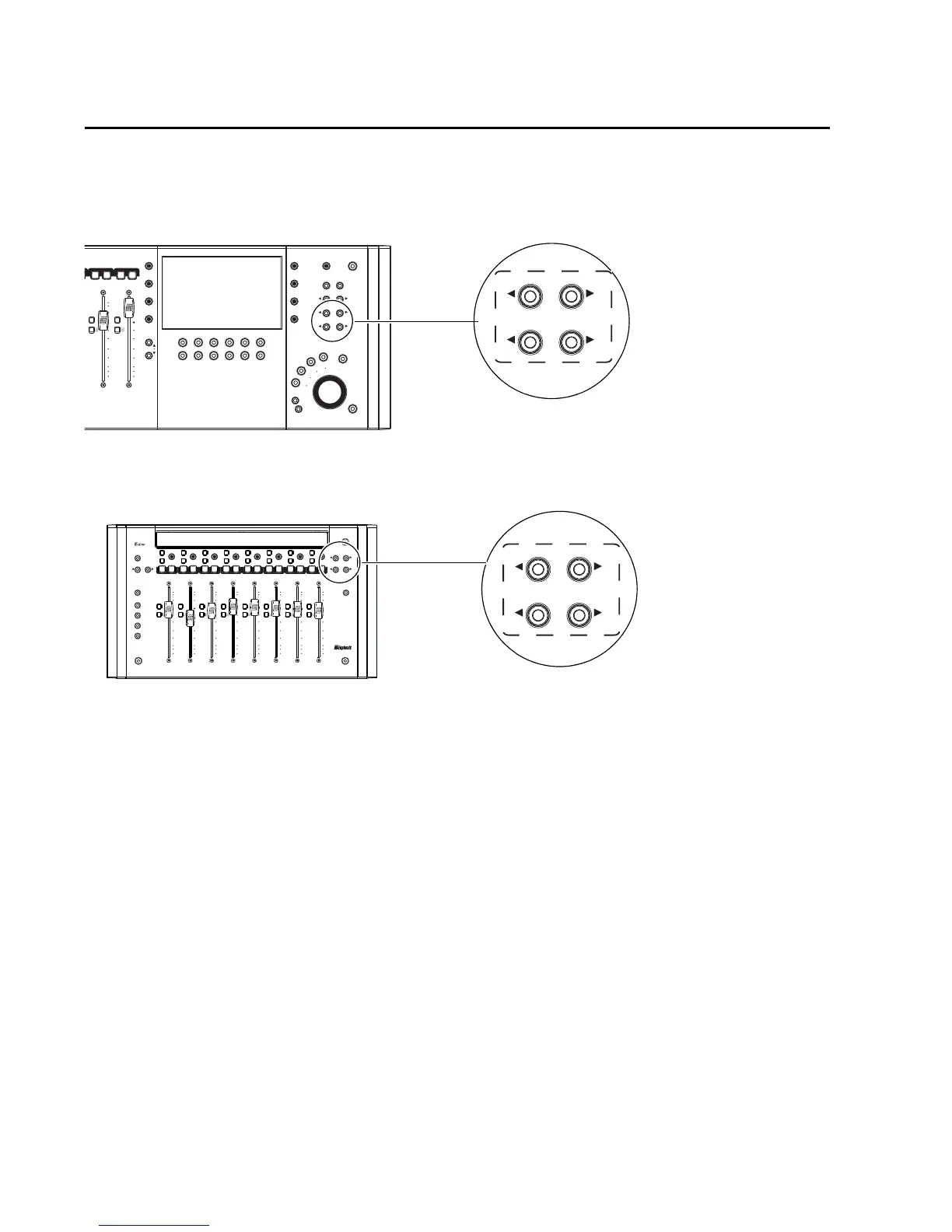
To navigate to and display other tracks across the faders, use the Bank and Nudge keys. On
MC Control, these keys are in the Navigation section above the Transport controls.
On MC Mix, Bank and Nudge are to the right of the encoder row.
To bank the faders to other tracks:
1 Press BANK >. On MC Control, this brings the next four tracks to the faders; on MC Mix, the next
eight. In Pro Tools, “next” means to the right in the Mix window, and below in the Edit window.
2 Press < BANK to move to previous tracks (to the left in the Mix window, and above in the Edit win-
dow).
3 Press NUDGE > to move one track at a time. For example, if tracks 1–8 were previously assigned to
the faders on MC Mix, pressing Nudge > will bring tracks 2–9 to the faders.
4 Press < NUDGE to move back one track at a time.
If you nudge or bank beyond the first and last tracks, the display above unused track will be blank.
HOME and Track Banking
To reset faders to the default bank on MC Control or MC Mix:
Press and hold the SHIFT key, and press < BANK (Home).
Bank and Nudge controls on MC Control
Bank and Nudge controls on MC Mix













 To Next Page