
 Need help?
Do you have a question about the Avid Technology XMON EUCON and is the answer not in the manual?
Provide comments, corrections, or suggestions regarding the documentation via email to techpubs@avid.com.
Details on the operating systems and hardware compatibility for the XMON EUCON Software Application.
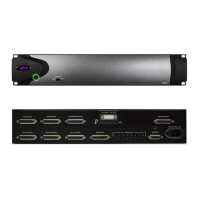
List of items included with the XMON monitoring solution package, including hardware and software.
Information on conventions used in the guide for indicating menu choices and key commands.
Overview of the Avid website as a resource for product information, support, downloads, and training.
Instructions and diagrams for connecting audio inputs and outputs to the XMON hardware using DB-25 connectors.
Wiring diagrams and pinout tables for XMON's seven DB-25 connectors for various input and output signals.
Step-by-step guide for installing the M-Audio MIDI Uno device and its drivers for use with the XMON EUCON Software.
Procedure for connecting the Control Cable Breakout Adapter to the XMON and M-Audio MIDI Uno for communication.
Instructions for connecting both internal and external talkback microphones to the XMON system.
Guide to installing the XMON EUCON Software Application and its associated audio drivers.
Instructions for selecting the correct MIDI port for XMON communication on both Mac and Windows operating systems.
Procedure to lock the Control Room and Monitor sections of the MC Pro surface to the XMON application.
Clarifies terminology for routing XMON input sources to MC Pro/System 5-MC control surface outputs.
How to assign XMON input sources to the Control Room and Monitor outputs using the MC Pro surface.
Guide to adjusting playback levels for Control Room, Monitor feeds, and using the DIM function on the MC Pro.
Instructions on managing speaker mapping, toggling speaker outputs on/off, and master speaker control.
Lists XMON features not currently supported by the XMON EUCON Software Application.
 General
| Brand | Avid Technology |
|---|---|
| Model | XMON EUCON |
| Category | Software |
| Language | English |

 To Next Page
