Chapter 5: Editing 31
Using Markers
Pro Tools Markers and Memory Locations let you store and navigate to specific locations in your ses-
sion (such as to mark the beginning of a verse, or the beginning of dialog), and/or selections in the
timeline (such as an entire verse, or complete scene).
Any controller with a numeric keypad such as the MC Transport can create and recall (go to) Memory
Locations.
Using Markers on MC Transport
To create a Marker in a Pro Tools session using MC Transport:
1 Begin playback.
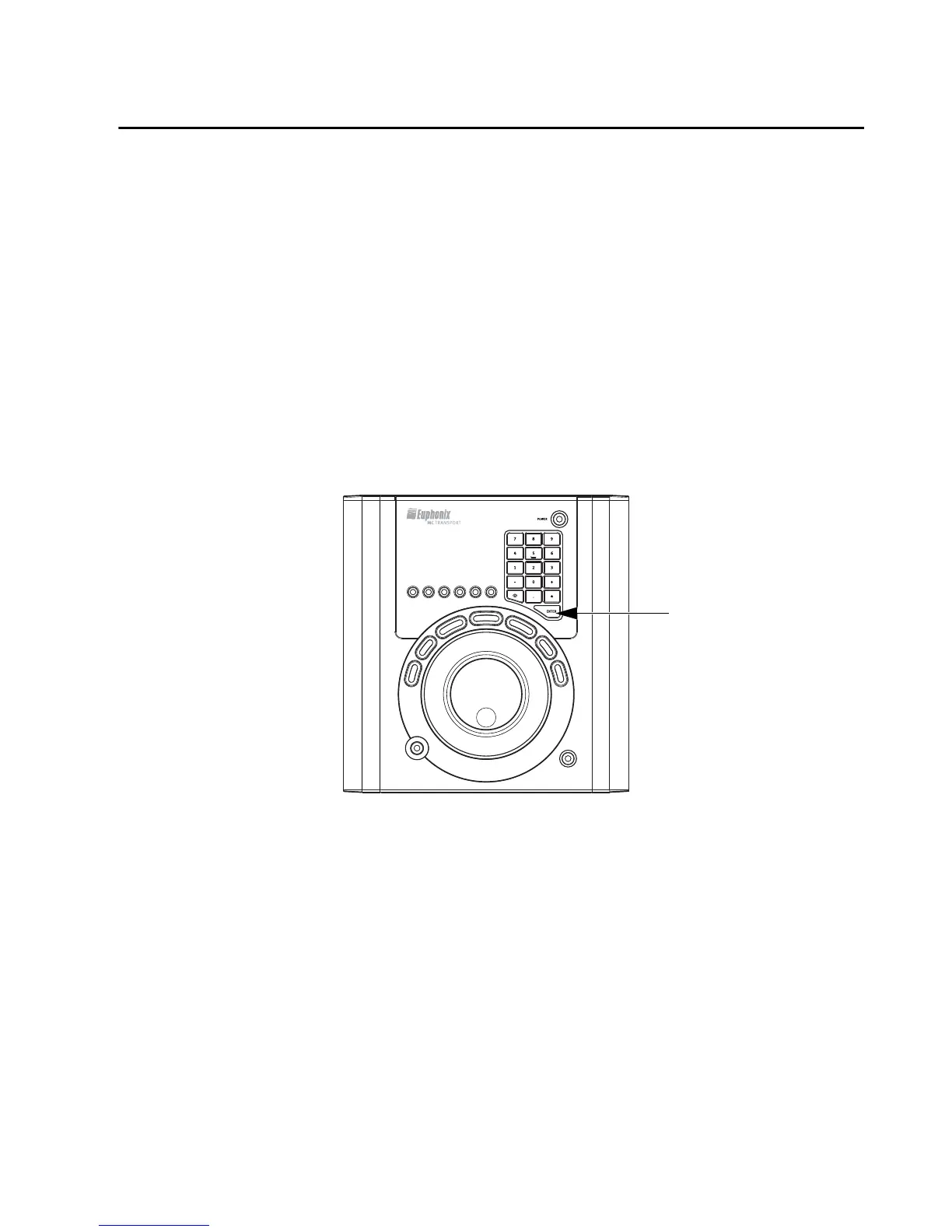
2 At the point where you want to store a marker, press the Enter key on your numeric keypad.
To recall a Marker using MC Transport:
On the MC Transport numeric keypad, press Decimal (.), the Memory Location number, and Dec-
imal (.) again.
Using Markers on MC Control
On MC Control and other units with a Touchscreen, Soft Keys are available to create, recall, and man-
age Markers. See the Home page of Touchscreen Soft Keys and look for “Memory Location.”
Enter key on the numeric keypad













 To Next Page