System Fault Notications:
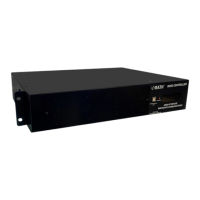
As a part of the built-in system monitoring, the BOSS controller will fault if certain errors occur.
When a fault occurs, the built-in sounder on the BOSS controller will sound and a fault code will
appear on the BOSS’s display. If there are multiple faults, display will scroll between them.
Explanation of System Faults:
• System Fault – Error signal detected on the alarm input monitoring the backup battery
• Power Supply – Error signal detected on the alarm input monitoring the power supply
• Ground Fault – There is a grounding fault in the installation wiring
• Sys Cong CC – The number of Call Commanders connected does not match the
conguration set in the Conguration App
• Sys Cong CB – The number of Call Boxes connected does not match the conguration set in
the Conguration App
• Sys Cong EL – The number of external lines connected does not match the conguration set
in the Conguration App
• Loc:XXX CRC High– Messaging errors detected on loop XXX, indicative of multiple possible
connection issues on loop
• Loc:XXX CRC Low– Messaging errors detected on loop XXX, indicative of possible connection
issues on loop
• Loc:XXX a-x-b – Loop break detected on loop XXX
• Loc:XXX Amps Hi – Overcurrent event on loop XXX
• Loc:XXX Volts Hi – Overvoltage event on loop XXX
• Loc:XXX Volts Lo – Undervoltage event on loop XXX
• Lox:XXX Ext. Line – Fault on external phone line XXX
• Mic Fault – The Call Commander has detected a fault on one of its microphones.
NOTE: Most faults will require a power cycle on the system to correct.
NOTE: To silence the sounder on the BOSS controller press and hold the Mute button to the left
of the display for two seconds. This will silence the alarm for 24 hours or until the fault is
resolved.
Page 19


 To Next Page