Double-Sided Document
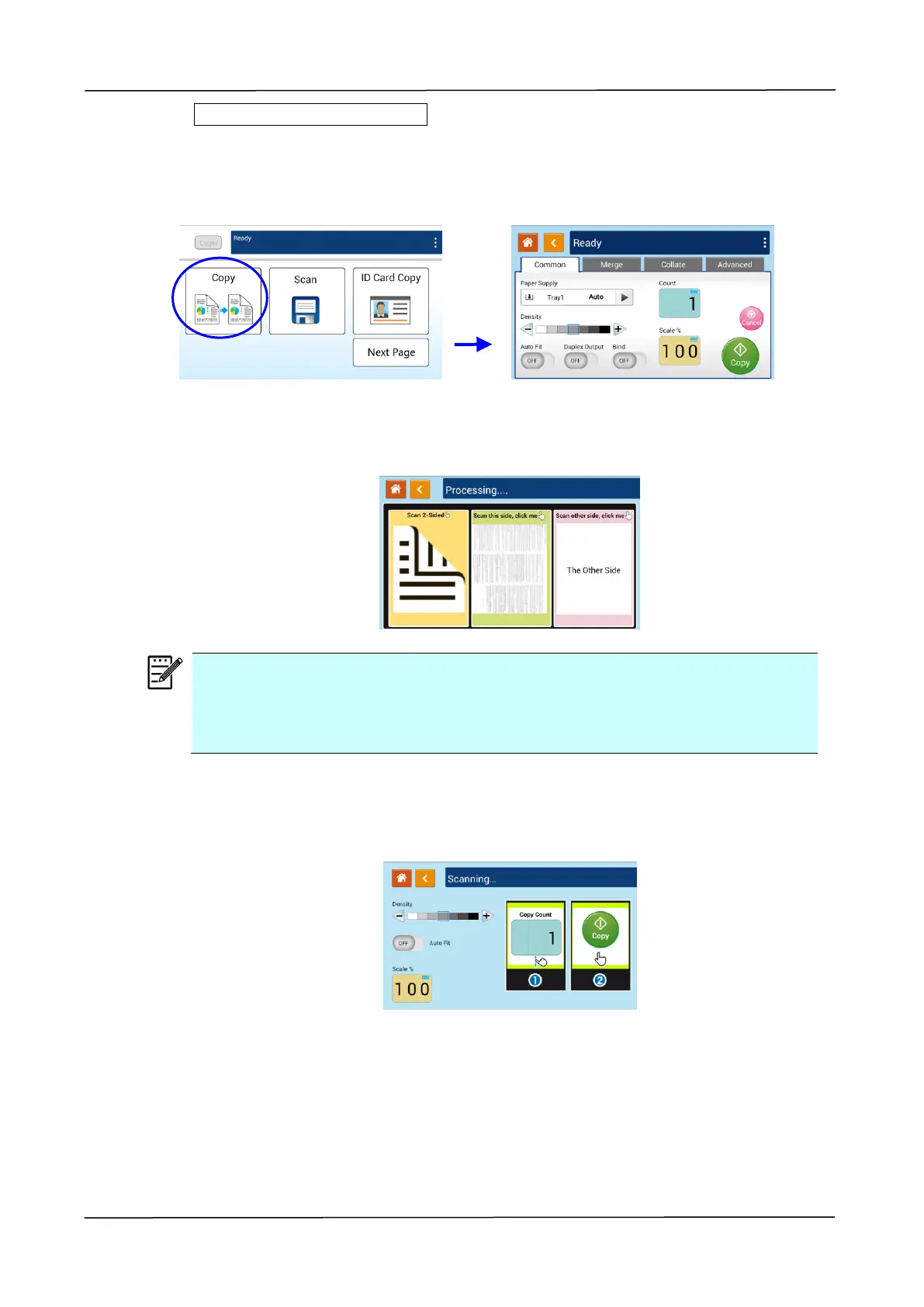
1. Tap the 「Copy」button on the main screen, and the following 「Copy」screen will
be displayed.
2. Load document into the feeder. No need to worry about facing down or facing up
since the Intelligent Copy System will automatically make a correct and perfect
copy.
Note:
The product is built-in with the state-of-the-art image processor to provide
an optimal default settings and image quality for common copy job. Change
the default copy settings only when you need to perform an unusual copy
task.
3. The product will automatically make one copy of your document and then the
following screen will be prompted enquiring if any adjustment such as Density,
Auto Fit, or Scaling needs to be made.
a. If no adjustment is required, press 「<」 (Back) to return to the main Copy
screen.
b. If density, or scaling needs to be adjusted, select your desired value, enter
your copy count and press [Copy] to complete.



 To Next Page