3. Operation
二、Copy Multiple Document
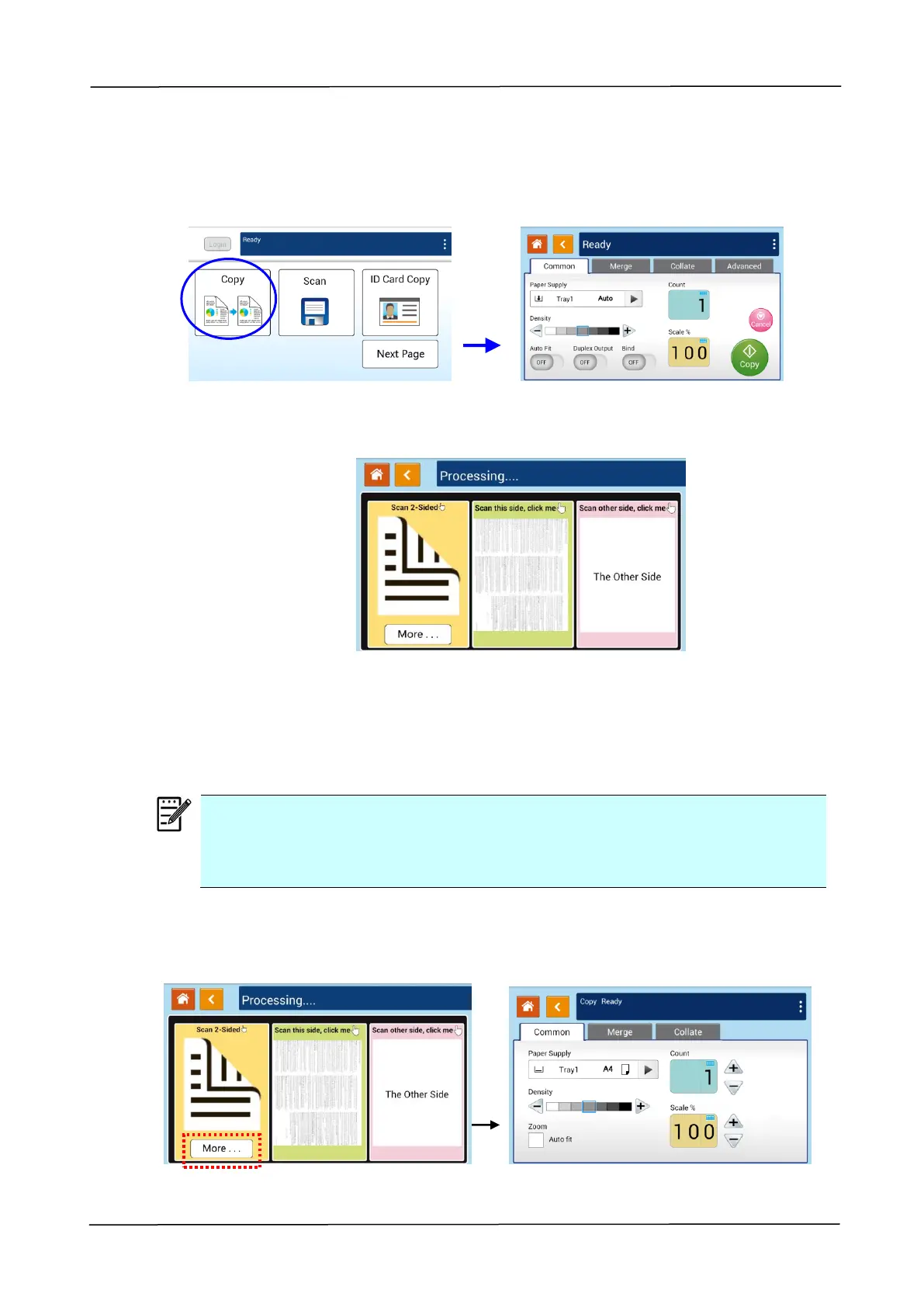
1. Tap the 「Copy」button on the main screen, and the following 「Copy」screen will
be displayed.
2. Load a stack of multi-page document to the feeder. The product will first
automatically scan first page and the following screen will be displayed.
(1) If you need to make 2-Side copy, press 「Scan 2-Sided」.
(2) If you need to make single-side copy, choose your desired page.
3. The product will continue the copy of the rest document.
Note:
Since the product detect only the first page, therefore, the document
arrangement (such as odd page face up…) of the whole stack of documents
must be consistent with the first page.
[More...] Button
(1) Click [More] to access more copy options.



 To Next Page