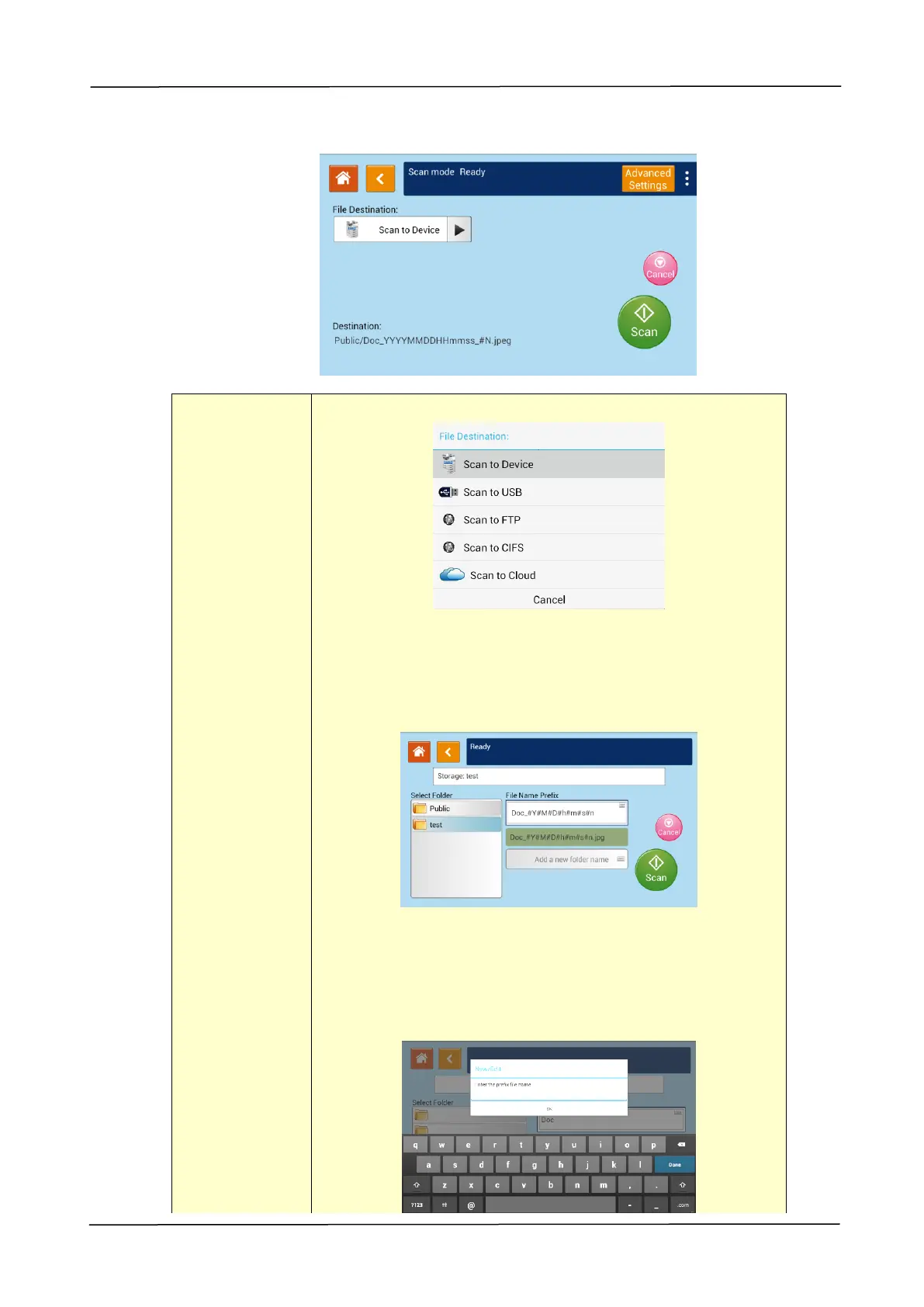
Choose the destination of your scanned document.
Choice: Scan to Device/Scan to USB/Scan to FTP/Scan
to CIFS
Scan to Device: Send the scanned document to the
product’s memory. (Download the image through the
embedded web page.)
Tap「Add a new folder name」to create a new folder.
(To delete a current folder, open the embedded
web page. )
File name Prefix:Tap the blank field to enter your desired
prefix. Tap 「OK」to leave the keyboard screen.



 To Next Page