Naming Method:Prefix_YYMMDDHHMMSS_#N. For
example, 「Marketing_150213144840_3.pdf」indicates
Marketing(prefix) 2015 (year) 2 (February) 13 (date) 14
(hour) 48 (minute) 40 (second) 3(serial number) (the
time the file has been sent)。
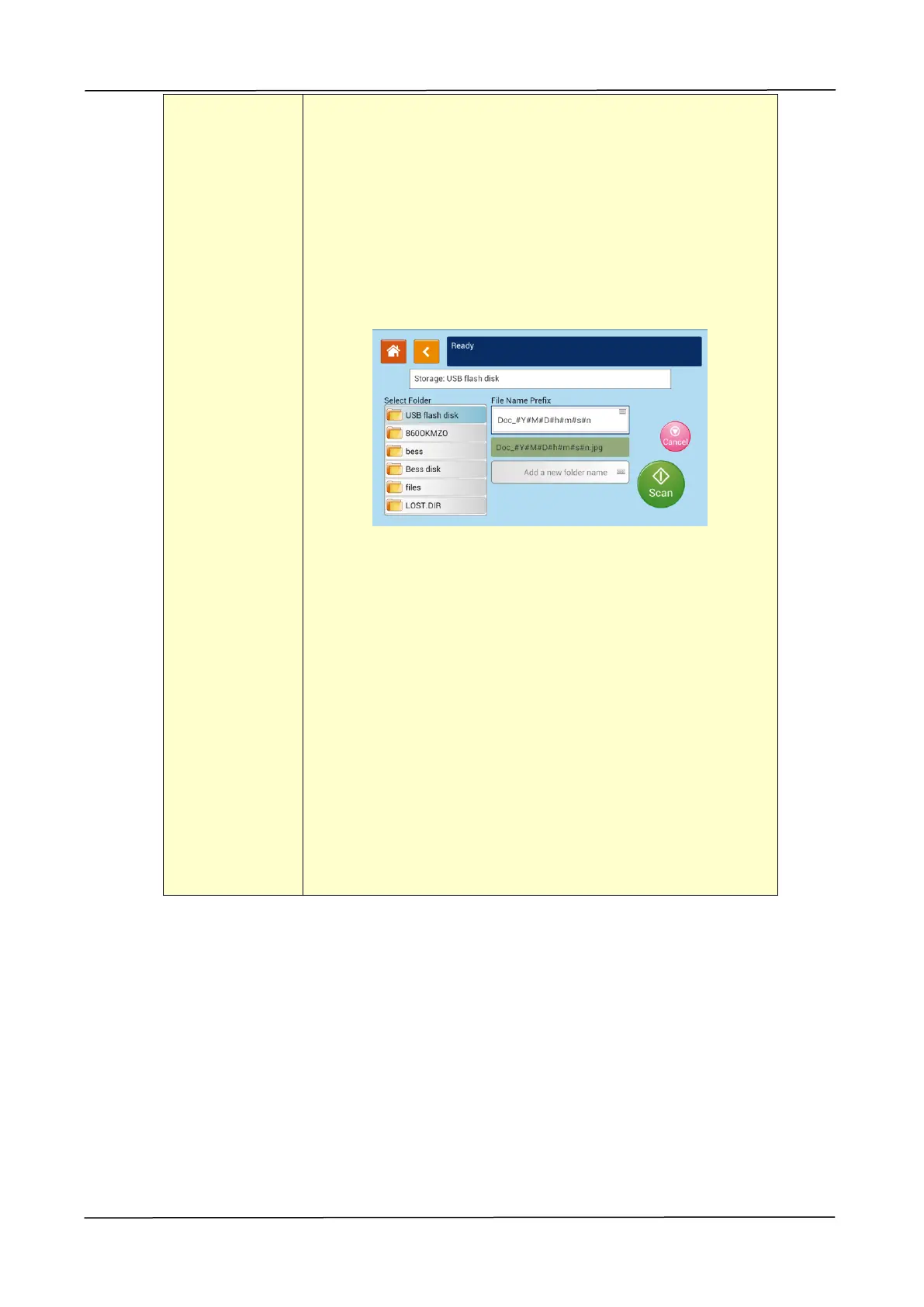
Scan to USB: The scanned image will be sent to the USB
flash drive inserted to the product.
Tap 「Add a new folder name」to create a new folder in the
USB flash drive.
Naming Method:Prefix_YYMMDDHHMMSS_#N. For
example, 「Marketing_150213144840_3.pdf」indicates
Marketing(prefix) 2015 (year) 2 (February) 13 (date) 14
(hour) 48 (minute) 40 (second) 3(serial number) (the
time the file has been sent)。
Note: The disk format for the USB flash drive supports
only FAT16, and FAT32。
Scan to FTP: Send the scanned image to FTP server in
the network.



 To Next Page