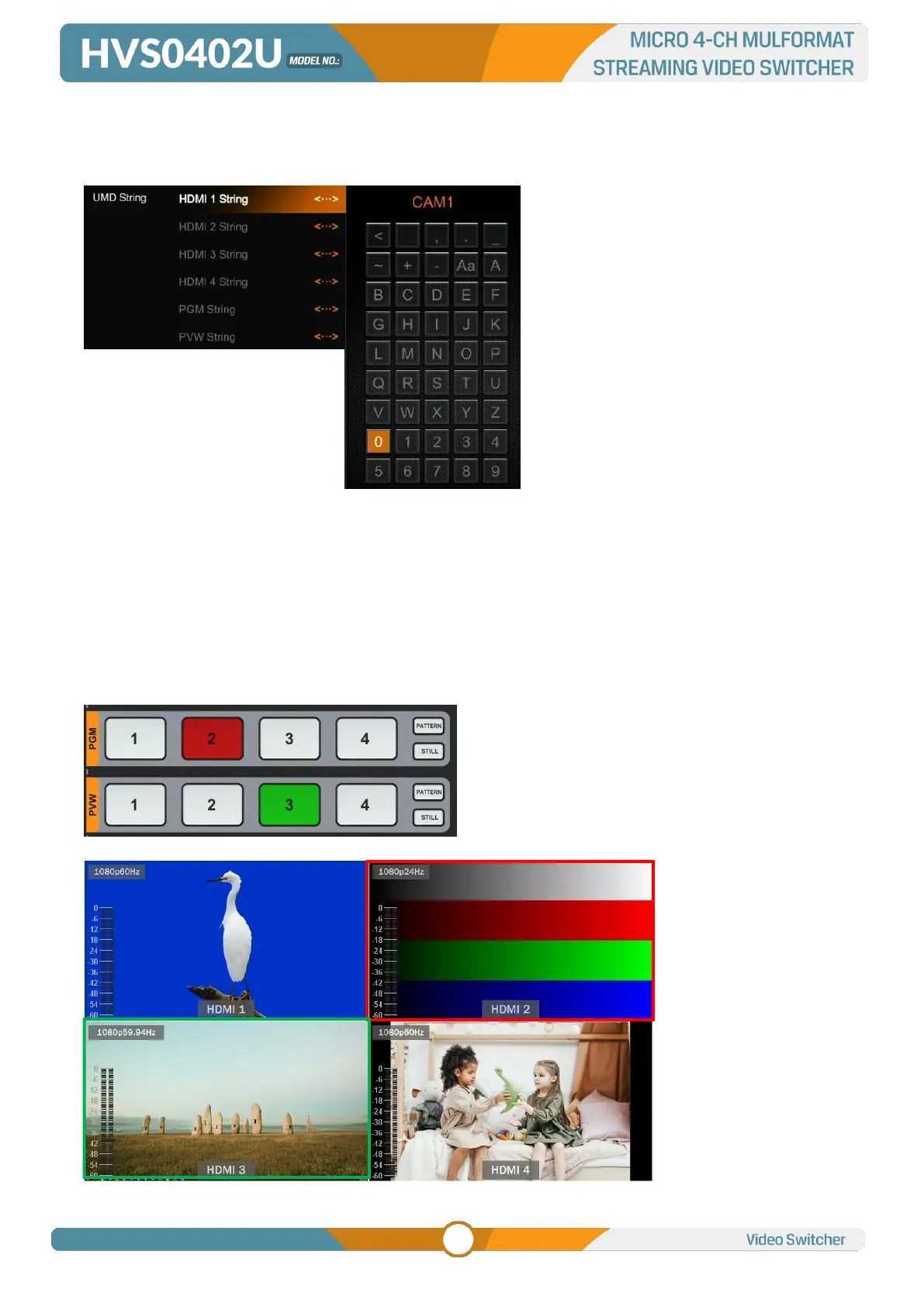
The UMD string content for 4 HDMI inputs can be set from menu. User can rename the UMD content for
each window by using a virtual keyboard and rotary button. It supports input max 10 characters for the
UMD content. Below image as an example, rename the HDMI 1 to CAM1.
7. PGM PVW SWITCHING
7.1. PGM PVW Channel Selection
Choose PGM and PVW source from PGM, PVW row and PATTERN (different pattern can be configured
on menu, refers to Part 13.1) in the front panel. The selected button for PGM will turn on to red LED, and
the selected button for PVW will turn on to green LED. The PGM source will be circled with red border,
while the PVW source will be circled with green border.



 To Next Page