20
z Do not hea t or disassemble batteries and never dispose of old
batteriesbythrowingtheminafire.
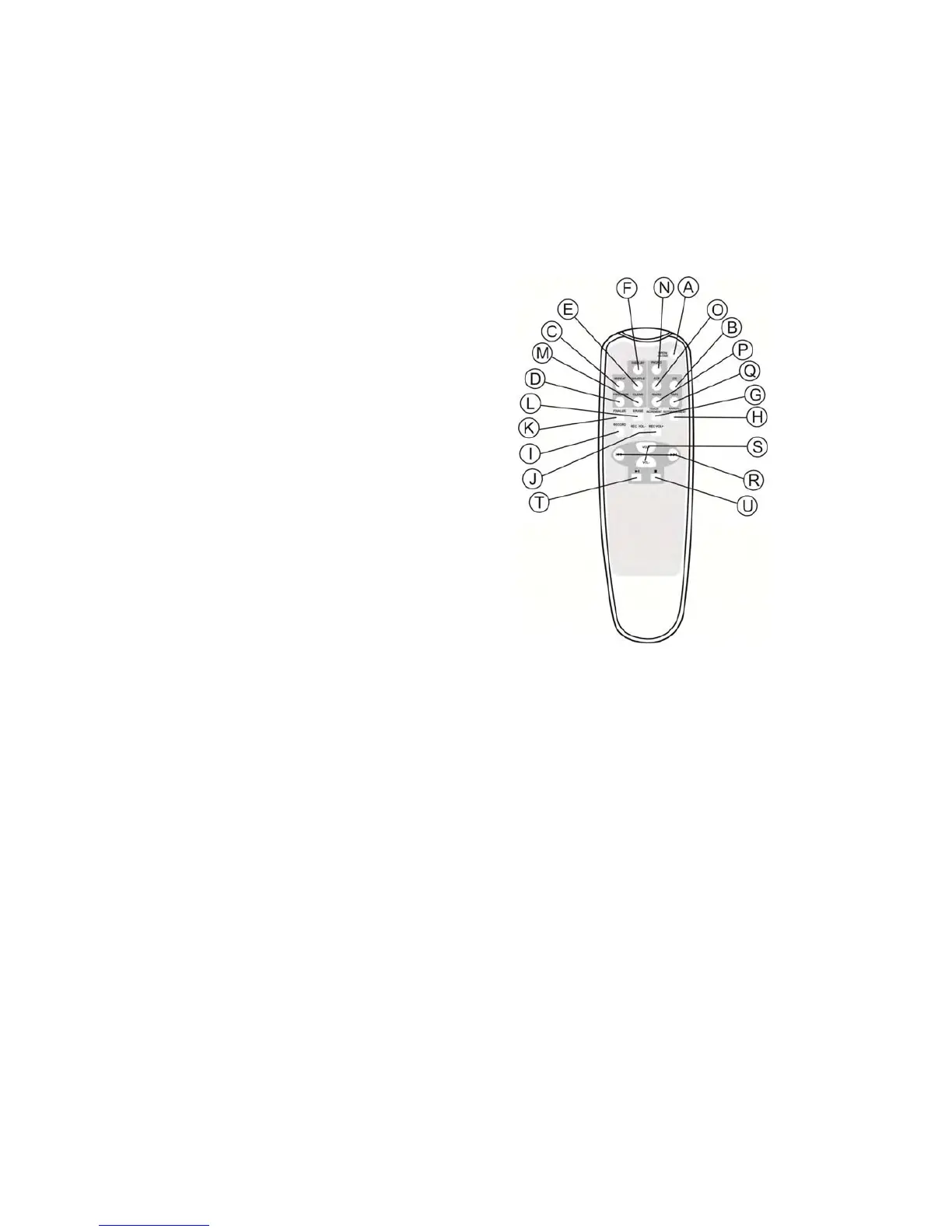
REMOTECONTROL
A. OPEN/CLOSE
In CD, PHONO or AUX mode, use this
buttonto open and closethe disc tray.
This button does not work in FM/AM
mode.
B. CD
PresstheCDbuttontoplayaCD.
C. REPEAT
InCDmode,usethisbuttontoselecta
repeatModeofCD.
D. PROGRAM
InCDmode,usethisbuttontoprogram
tracks.
E. SHUFFLE
InCDmode,use thisbuttonfor shuffle
playback.
F. DISPLAY
InCDmode,usethisbuttontochangethedisplay.
G. TRACKINCREMENT
Duringrecording,usethisbuttontodividetracks.
H. MANUAL/AUTOINCREMENT
Usethisbutton
toselectthemodeoftracknumberassignment.
I. Record
UsethisbuttontorecordCD.
J. RECVOL+/RECVOL‐
Usethesebuttonstoadjusttherecordvolume.
K. FINALIZE
UsethisbuttontofinalizeaCD‐R/CD‐RWdisc.
L. ERASE
UsethisbuttontoeraseaCD‐RWdisc.
M. Clear
InCDmode,usethisbuttontoclearprog rammedtracks.
N. PHONO
PressthePHONObuttonandselectPHONOtoplayarecord.
O. AUX



 To Next Page