80
RECORDINGOPERATION
Todownloadmusicandsaveintocomputer:
1.Placetherecordontheturntable.
2.Movethetonearmovertotherecordtostartplaying.
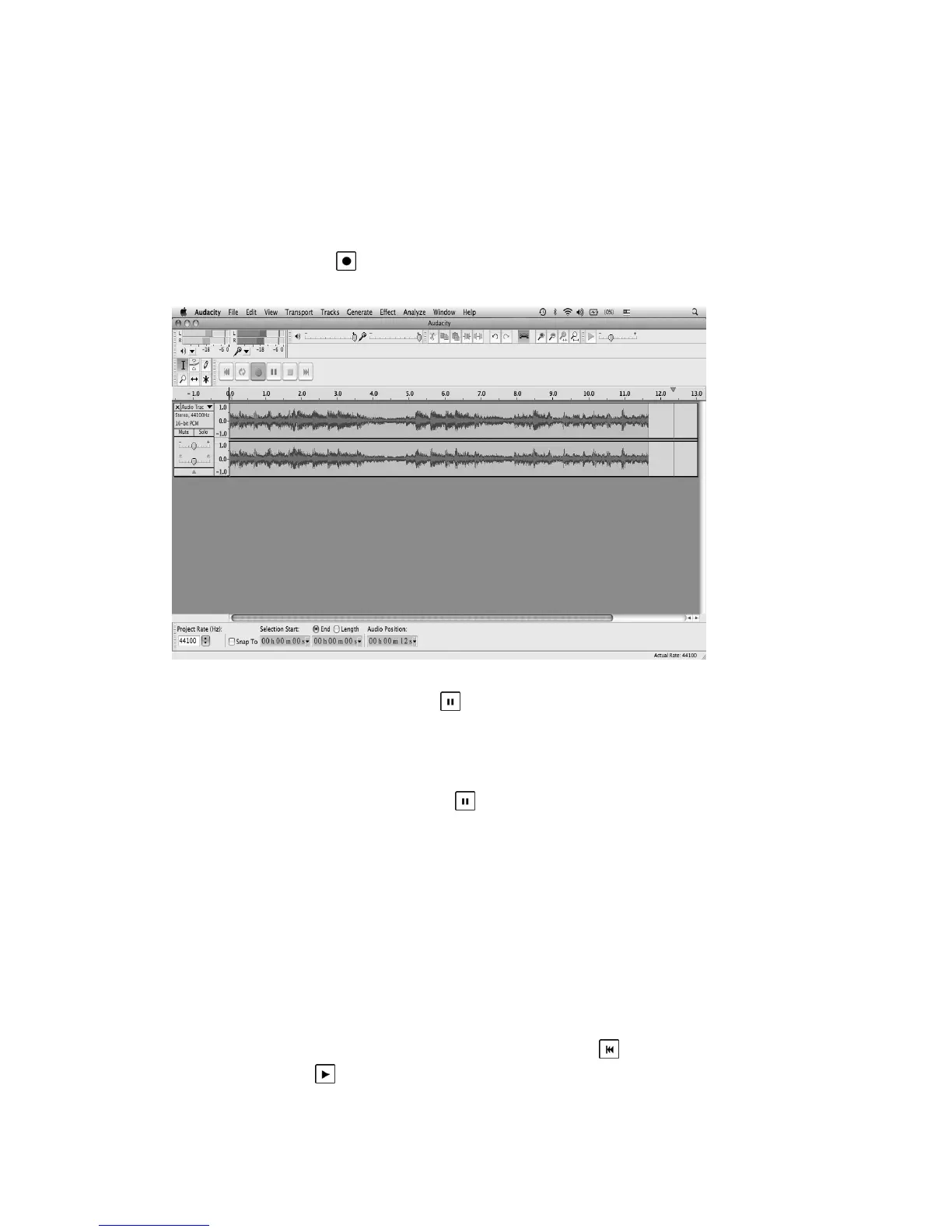
3.ClicktheRecord(
)butt ontostartrecording.
Thewaves(leftandrighttracks)willshowontheinterface.
4.Atendofsong,click“pause”(
)buttononcomputerandraisethe
cueleveronturntable.
Forthenextsong,replacethealbumormovetonearmtoanother
desiredsong.Lowerthecueleveronturntabletostartplayingthenext
song.Immediatelypress“pause”(
)buttononcomputerand
downloadingwillcontinue.
5.Repeatsteps3and4untilyouhavefinisheddownloading.
NOTE:Donotclickstopbuttononcomputerwhilecontinuously
downloadingsongs.Remembertoclickpausebuttoninbetweenyour
desiredsongs.Pressstopbuttononcomputeronlywhenallyour
desired
songshavebeendownloaded.
Afteryourhavefinisheddownloading,youmayplaybackthesongs
throughyourcomputer.Instopmode,simplyclick(
)SKIPTOSTART
buttonthenthe( )PLAYbutton.



 To Next Page