81
TodownloadmusicfromCDtocomputer:
1.PressthePOWERswitchtoturntheuniton.
2.PresstheCDbuttonandpressopen/closebutton.
3.Loadadisconthedisctraywithprintedlabelfacingup.
4.Pressopen/closebuttontoclosetheCDdoorandpressPLAY/PAUSE
buttontostartplaying.
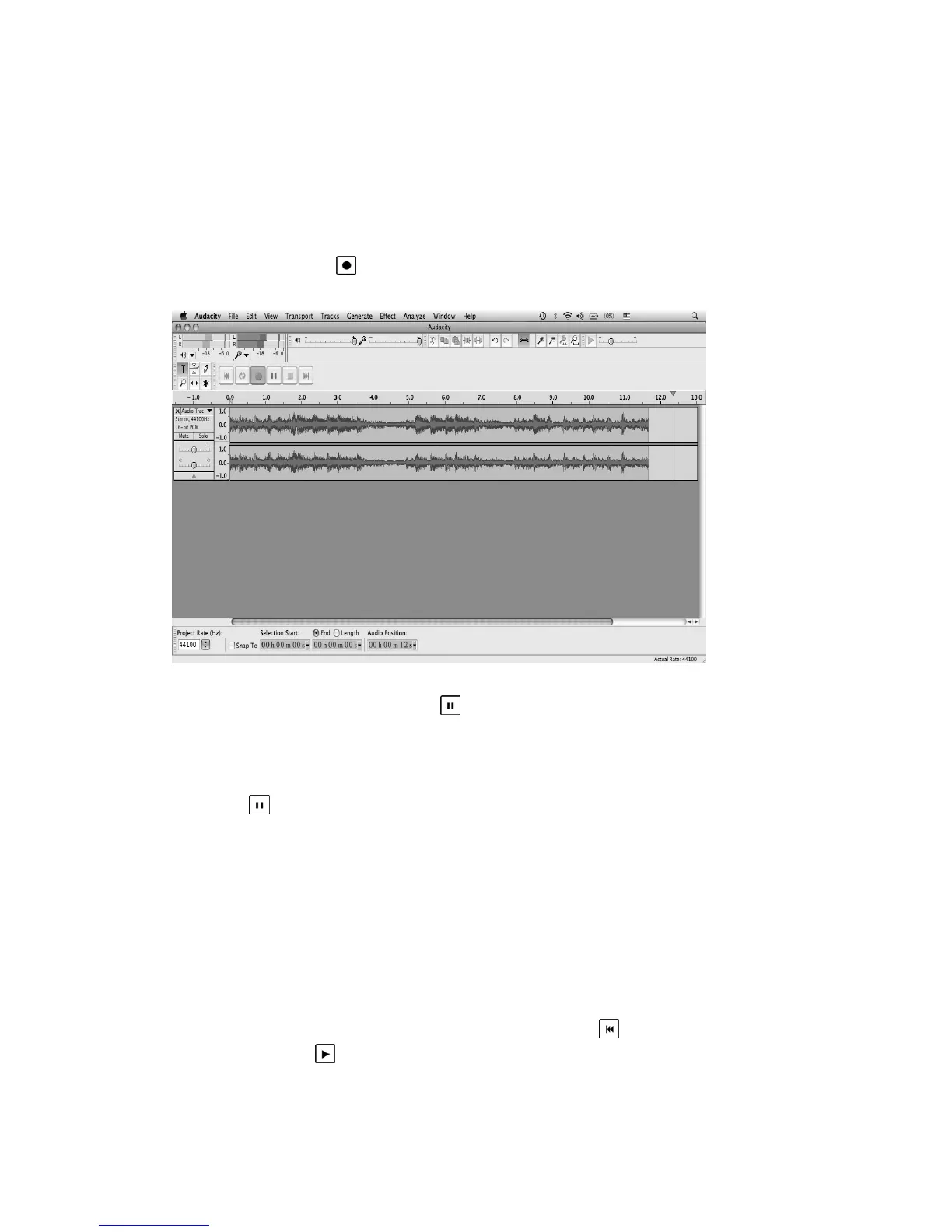
5.ClicktheRecord(
)butt ontostartrecording.
Thewaves(leftandrighttracks)willshowontheinterface.
6.Atendofsong,click“pause”(
)buttononcomputerandpressST OP
buttononCD.
ReplacetheCDorpressskipbuttontoselectanotherdesiredsong.Press
PLAY/PAUSEbuttontostartplayingthenextsong.Immediatelypress
“pause”(
)butt ononcomputeranddownloadingwillcontinue.
7.Repeatsteps5and6untilyouhavefinisheddownloading.
NOTE:Donotclickstopbuttononcomputerwhilecontinuously
downloadingsongs.Remembertoclickpausebuttoninbetweenyour
desiredsongs.Pressstopbuttononcomputeronlywhenallyour
desired
songshavebeendownloaded.
Afteryourhavefinisheddownloading,youmayplaybackthesongs
throughyourcomputer.Instopmode,simplyclick(
)SKIPTOSTART
buttonthenthe(
)PLAYbutton.



 To Next Page