61
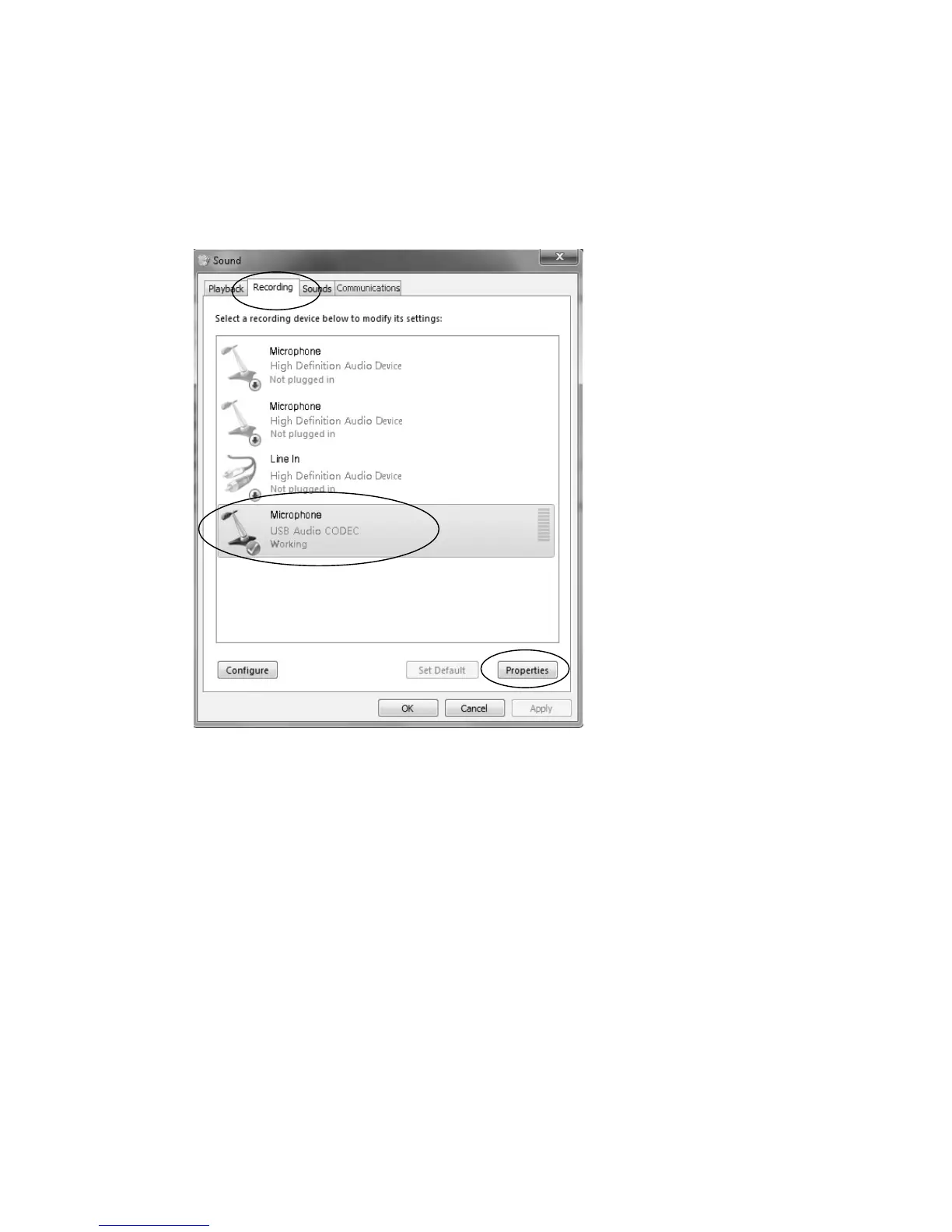
z IntheSoundinterface,select“Recording”tab.
z Then, choose a recording device. (It is recommended that you to
selectMicrophoneofUSBAudioCODECwhichishighlightedinthe
picture,thenclick“Properties”.)
z Select“Levels”andadjusttheVolumeReading.Thereadingisfrom
0to100.
Normallyitshouldbe3‐6.However,youmayrefertothe
InputLevelIndicatorfromtheAudacitypanelthatdoesn’texceed0.
Thenclick“OK”ontheMicrophonepropertiesinterfaceandsound
interface. Close the Control Panel. (Please note that there is no
“Levels” tab in “Sound” panel in
some operating systems, such as
Windows98,Windows2000.ForWindows7usersandVistausers,
the“Levels”tabin“Sound”panelisavailable.)


 To Next Page
 Loading...



