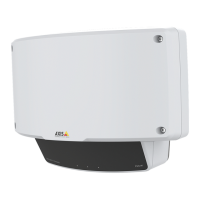
AXISD2110-VESecurityRadar
Configureyourdevice
7.ClickSave.
ConguretheI/Oportofthecamera:
8.GotoSystem>Accessories>I/OportsandconguretheI/Oportasaninputandselectthenormalstate.
Createaruleinthecamera:
9.GotoSystem>Eventsandaddarule.
10.Typeanamefortherule.
11.Fromthelistofconditions,selectDigitalinputisactiveandthenselecttheportthatshouldtriggertherule.
12.Fromthelistofactions,selectRecordvideo.
13.Fromthelistofstorageoptions,selectSDcard.
14.Selectanexistingstreamproleorcreateanewone.
15.Settheprebufferto5seconds.
16.Setthepostbufferto1minute.
17.ClickSave.
Turnonalightwhenmotionisdetected
Turningonalightwhenanintruderentersthedetectionzonecanhaveadeterringeffect,andwillalsoimprovetheimagequalityof
avisualcamerarecordingtheintrusion.
Thisexampleexplainshowtosetuptheradarandanilluminatorsothattheilluminatorturnsonwhentheradardetectsmotionand
turnsoffafteroneminute.
Connectthedevices:
1.Connectoneoftheilluminatorcablestothepowersupplyviatherelayportontheradar.Connecttheothercable
directlybetweenthepowersupplyandtheilluminator.
Conguretherelayportoftheradar:
2.GotoSystem>Accessories>I/OportsandselectOpencircuitasthenormalstateoftherelayport.
Createaruleintheradar:
3.GotoSystem>Eventsandaddarule.
4.Typeanamefortherule.
5.Fromthelistofconditions,selectascenariounderRadarmotion.
Tosetupascenario,seeAddscenariosonpage18.
6.Fromthelistofactions,selectToggleI/Oonceandthenselecttherelayport.
7.SelectActive.
8.SettheDuration.
9.ClickSave.
ControlaPTZcamerawiththeradar
Itispossibletousetheinformationaboutobjects’positionsfromtheradartomakeaPTZcameratrackobjects.
22


 To Next Page