reattempt the update process. If the LEDs never turn white, ensure Gear is powered on and not
in Smart Home Mode and try again.
Older versions of firmware combined with some mobile devices and app builds may require
several attempts to complete an OTA successfully.
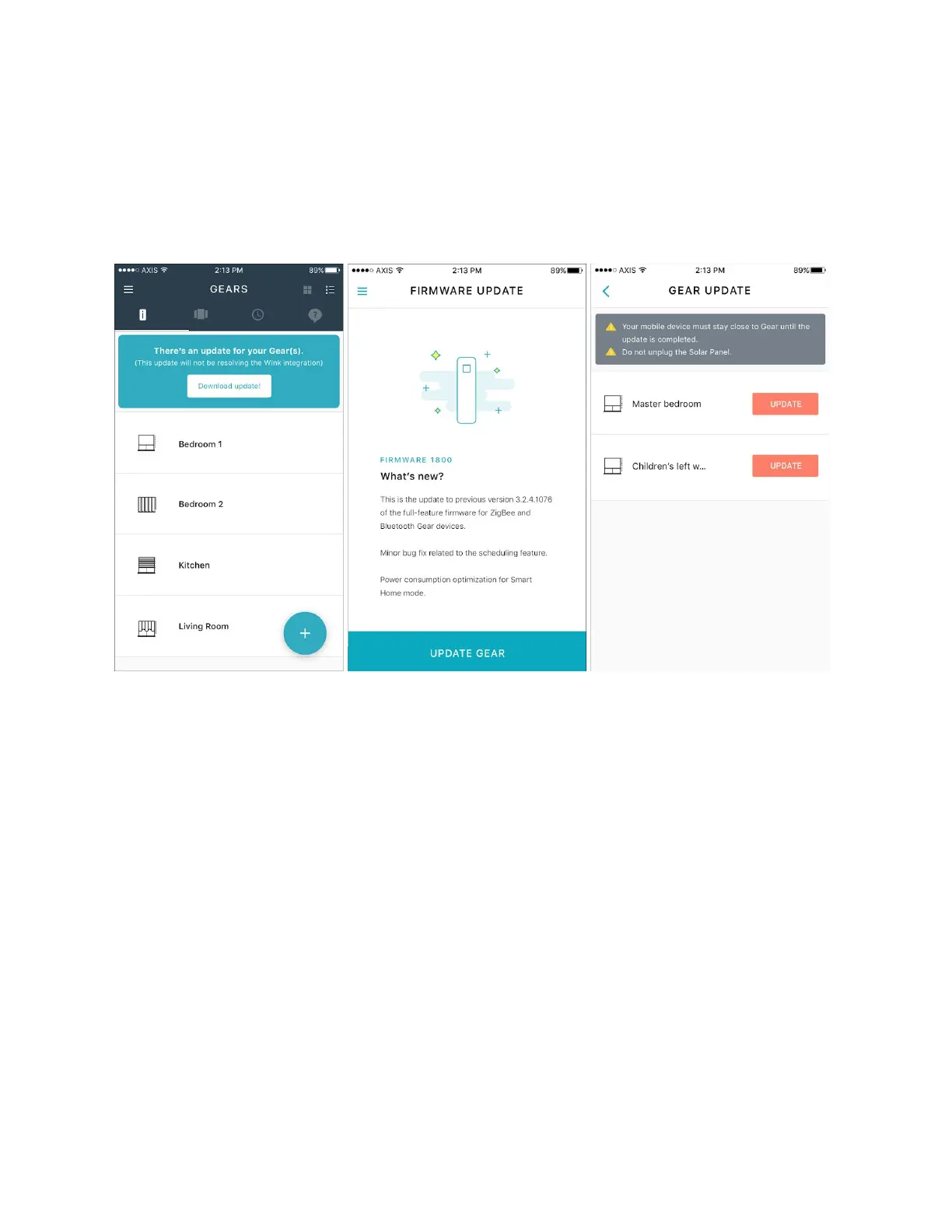
Figure 5 Update Banner (left), Firmware Download (middle) Select Gear (right)


 To Next Page