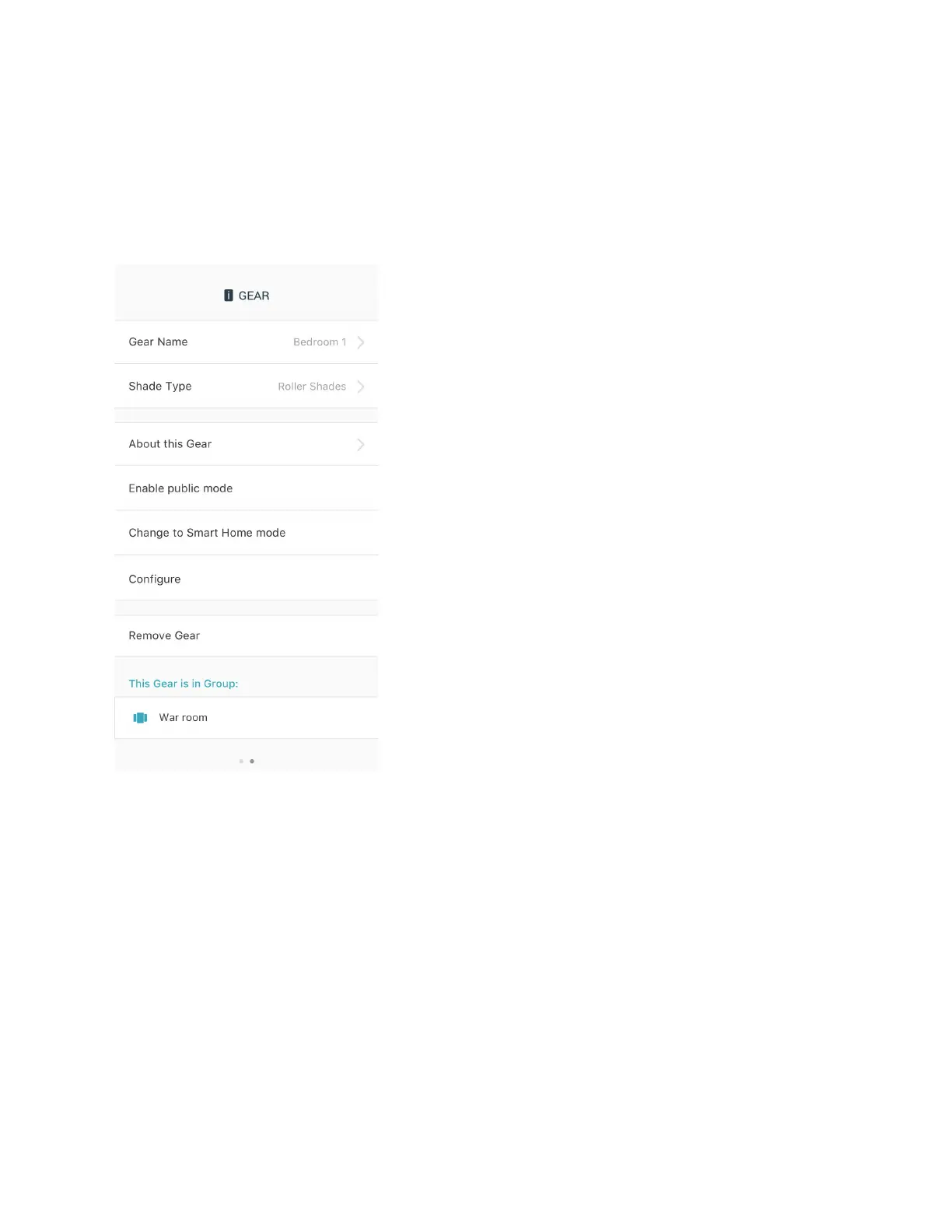
Gear Settings
To access Gear Settings, press the Gear icon on the top right of the Gear Control Screen. Gear
Settings can be used to change the Gear name or shade type, reconfigure Gear, enter Smart
Home Mode, delete Gear from the app and to view further details about Gear.
Figure 26 Gear Settings
CHANGE GEAR NAME
Select “Gear Name” and change this to a preferred name or location.The Gears Dashboard
reflects this change.
CHANGE SHADE TYPE
Select “Shade Type” and choose a different window shade type. This changes the icon of the
Gear on the main Gears Dashboard.


 To Next Page