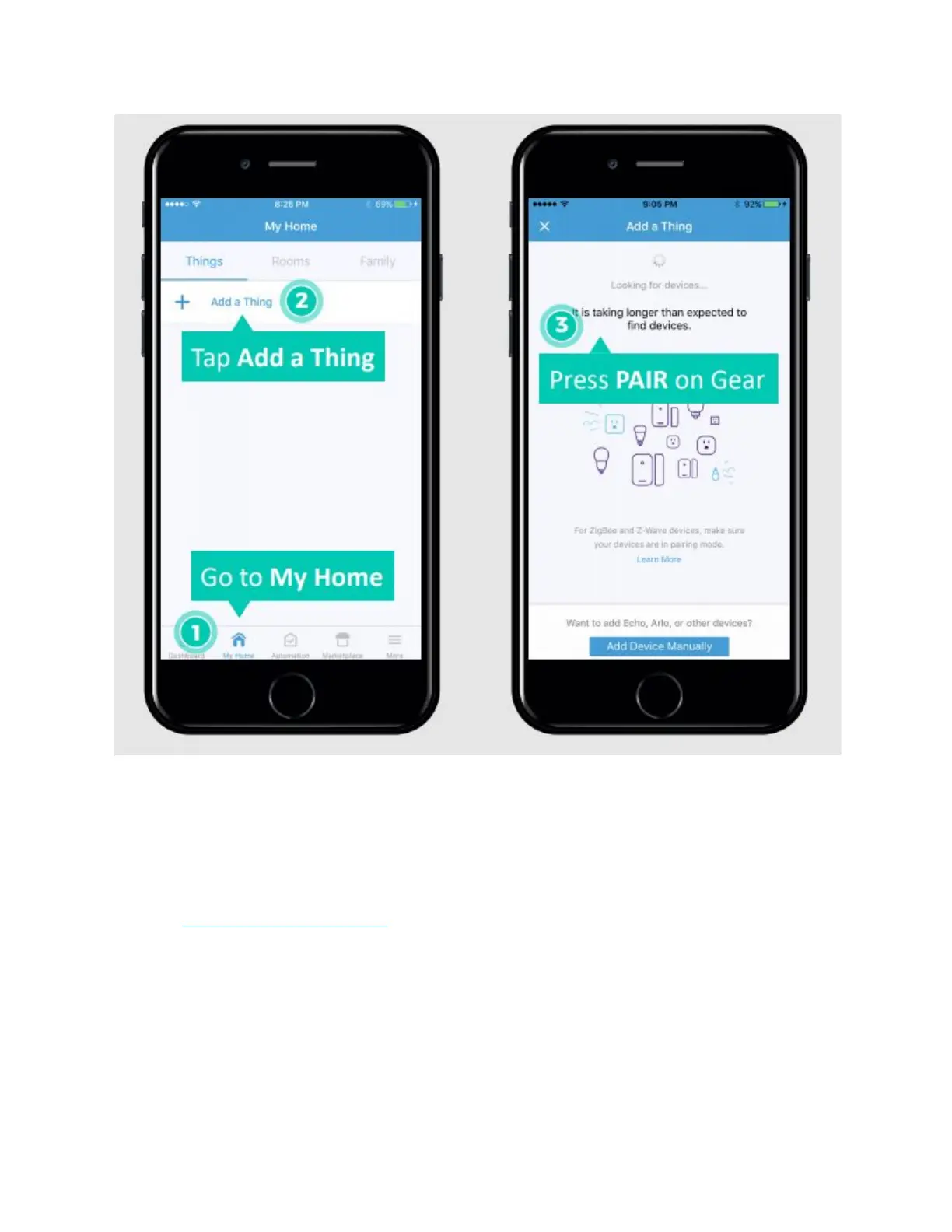
Figure 40 Add a Thing (left), Searching (right)
ENABLE SMARTTHINGS FUNCTIONALITY ON GEAR
Log in to developer.smartthings.com with the account created in the first step.
Go to My Locations. Then click on your Hub's location (e.g., Home) and then click on your hub
to verify that it is online. Not doing this may result in the hubs or Gear(s) not appearing visible.


 To Next Page