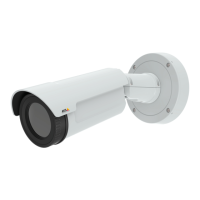
AXISQ1604-ENetworkCamera
SettingUptheProduct
SettingUptheProduct
TheAxisproductcanbeconguredbyuserswithadministratororoperatorrights.Toopentheproduct’sSetuppages,clickSetupin
thetopright-handcorneroftheLiveViewpage.
•Administratorshaveunrestrictedaccesstoallsettings.
•OperatorshaveaccesstoallsettingsexceptSystemOptions
Seealsotheonlinehelp
.
BasicSetup
BasicSetupprovidesshortcutstothesettingsthatshouldbemadebeforeusingtheAxisproduct:
1.Users.Seepage43.
2.TCP/IP.Seepage46.
3.Date&Time.Seepage45.
4.VideoStream.Seepage21.
5.Focus.See
6.AudioSettings.Seepage27.
TheBasicSetupmenucanbedisabledfromSystemOptions>Security>Users.
AdjustFocus
Toadjustthezoomandfocusfollowtheseinstructions:
Note
•SetfocusaspreciselyaspossiblewiththefocuspullerorFocusAssistantbeforestartingautomaticnetuning.Usingthe
focuspullernormallygivesthebestresult.
•Theirisshouldalwaysbeopenedtoitsmaximumwhilefocusing.Thisgivesthesmallestdepthofeldandthusthe
bestconditionsforcorrectfocusing.
1.Opentheproduct’shomepageandgotoSetup>BasicSetup>Focus.
2.UndertheBasictab,clickOpeniris.Ifthebuttonisinactivetheirisisalreadyopen.
3.Iffocushasbeensetbefore,clickResettoresetthebackfocus.
4.Loosenthezoomandfocuspullers(seeHardwareOverview,onpage6)onthelensbyturningthemcounter-clockwise.
Movethepullerstosetzoomandfocusandcheckthequalityoftheimageintheimagewindow.Ifthecamerais
mountedsothatonecannotlookattheimageandmovethepullersatthesametime,usetheFocusAssistantinstead.
SeeFocusAssistant,onpage20.
5.Re-tightenthezoomandfocuspullers.
6.OntheFocuspage,clickFine-tunefocusautomaticallyandwaituntilautomaticnetuningiscompleted.
7.ClickEnableiris.Ifthebuttonisinactivetheirisisalreadyenabled.
8.Ifneeded,makefurtheradjustmentsundertheAdvancedtab.Seetheonlinehelpformoreinformation.
19



 To Next Page