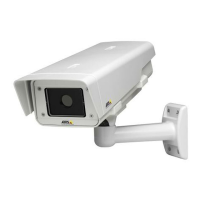
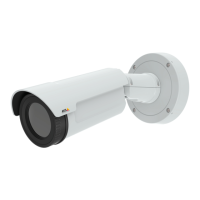
AXISQ1932–EThermalNetworkCamera
VideoandAudio
•Palette.Theimagecanbecoloredbyapplyingapalette.Colorsintheimageindicatetemperaturedifferencesandcanbe
usedtoimprovevisibilityofnedetails.Thepaletteselectedhereisusedasthedefaultpalette,otherpalettescanbe
selectedontheLiveViewpage.
•Maximumframerate.Toavoidbandwidthproblems,theframerateallowedtoeachviewercanbeLimitedtoaxed
amount.Alternatively,theframeratecanbesetasUnlimited,whichmeanstheAxisproductalwaysdeliversthehighest
frameratepossibleunderthecurrentconditions.
•Overlaysettings.SeeAboutoverlaytextonpage17.
ClickSavetoapplythenewsettings.
AboutH.264
H.264,alsoknownasMPEG-4Part10/AVC,isavideocompressionstandardthatprovideshighqualityvideostreamsatlowbitrates.
AnH.264videostreamconsistsofdifferenttypesofframessuchasI-framesandP-frames.AnI-frameisacompleteimage,whereas
P-framesonlycontainthedifferencesfrompreviousframes.
AboutMJPEGsettings
Sometimestheimagesizeislargeduetolowdynamicorcomplexscenery.Adjustingthemaximumframesizehelpstocontrolthe
bandwidthandstorageusedbytheMotionJPEGvideostreaminthesesituations.SettingtheframesizetotheDefaultsetting
providesconsistentlygoodimagequalityattheexpenseofincreasedbandwidthandstorageusageinlowdynamic.Limitingthe
framesizeoptimizesbandwidthandstorageusage,butmayresultinpoorimagequality.
AboutONVIFmediaproles
AnONVIFmediaproleconsistsofasetofcongurationsthatcanbeusedtochangemediastreamsettings.ONVIFmediaproles
canbeusedbyaclienttoconguremediastreamproperties.
TheONVIFMediaProlespagelistsallpreconguredproles.Theseprolesareincludedintheproductforquicksetup.Youcan
add,modifyorremoveONVIFmediaprolesfromthispage.
Aboutstreamproles
Astreamproleisasetofpredenedstreamsettingsincludingresolution,compression,framerateandoverlaysettings.Stream
prolescanbeused:
•Whensettinguprecordingusingactionrules.SeeAbouteventsonpage29.
•Whensettingupcontinuousrecording.SeeAboutcontinuousrecordingonpage35.
•IntheLiveViewpage–selectthestreamprolefromtheStreamproledrop-downlist.
Tocreateanewproleormodifyanexistingprole,gotoSetup>Video&Audio>StreamProles.
ToselectadefaultstreamprolefortheLiveViewpage,gotoSetup>LiveViewCong.
Aboutcamerasettings
TheVideo&Audio>CameraSettingspageprovidesaccesstoadvancedimagesettingsfortheAxisproduct.
Aboutimageappearance
TochangeImageAppearancegotothemenusunderSetup>Video&Audio>CameraSettings.
TheimageBrightnesscanbeadjustedintherange0–100,whereahighervalueproducesabrighterimage.
16



 To Next Page