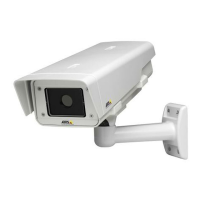
AXISQ1932–EThermalNetworkCamera
Aboutsystemoptions
AnSDcardinsertedintotheproductcanbemanuallyformattedtooneofthesupportedlesystems.Tomanuallyformatthe
SDcard,followthesesteps:
1.InserttheSDcardintheSDcardslot.
2.OpentheAxisproduct’swebpagesandgotoSetup>SystemOptions>Storage.
3.ClickSDCard.
4.ClickFormatandselectthedesiredlesystem.
5.ClickOKtostartformattingthecard.
HowtoencryptSDcarddata
Topreventunauthorizedindividualsandsystemsfromaccessingrecordedvideo,theSDcardcontentcanbeencrypted.Encryption
canonlybeenabledwhenthecardisunmounted.Afterenablingencryption,theSDcardmustbeformattedsothatnounencrypted
dataremainsonthecard.Thecardmustalsobemountedbeforeitcanbeused.
ToencrypttheSDcardcontent:
1.OpentheAxisproduct’swebpagesandgotoSetup>SystemOptions>Storage.
2.ClickSDCardtoopenStorageManagement.
3.IftheSDcardismounted,clickUnmounttounmountthecard.
4.ClickEncrypt.
5.SelectEnableSDcardencryptionandenterapassphrase.
6.BackinStorageManagement,clickFormattoformattheSDcard.
7.ClickMounttomounttheSDcard.
Itispossibletochangethepassphrasewithoutreformattingthecard.OpenStorageManagement,clickEncryptandenterthe
oldandnewpassphrases.Thepassphrasecanonlybechangedwhenthecardismounted.Changingthepassphrasedoesnot
disruptongoingrecordings.
Todisableencryption,unmounttheSDcardandfollowthestepsabovebutcleartheEnableSDcardencryptionoption.Thecard
mustbeformattedandmountedwhenencryptionhasbeendisabled.
NetworkShare
NetworkshareallowsyoutoaddnetworkstoragesuchasaNAS(network-attachedstorage).TheNASshallbededicatedfor
recordingsanddatafromtheAxisproductsconnectedtothenetwork.ForinformationaboutreferenceNASdevices,goto
www.axis.com/products/axis-companion/support-and-documentation
Note
ForNASrecommendationsseewww.axis.com
Toaddanetworkshare:
1.GotoSystemOptions>Storage.
2.ClickNetworkShare.
3.EntertheIPaddress,DNSorBonjournametothehostserverintheHosteld.
4.EnterthenameoftheshareintheShareeld.Subfolderscannotbeused.
5.Ifrequired,selectThesharerequiresloginandentertheusernameandpassword.
6.ClickConnect.
46



 To Next Page