AXISQ6055PTZDomeNetworkCamera
PTZ(PanTiltZoom)
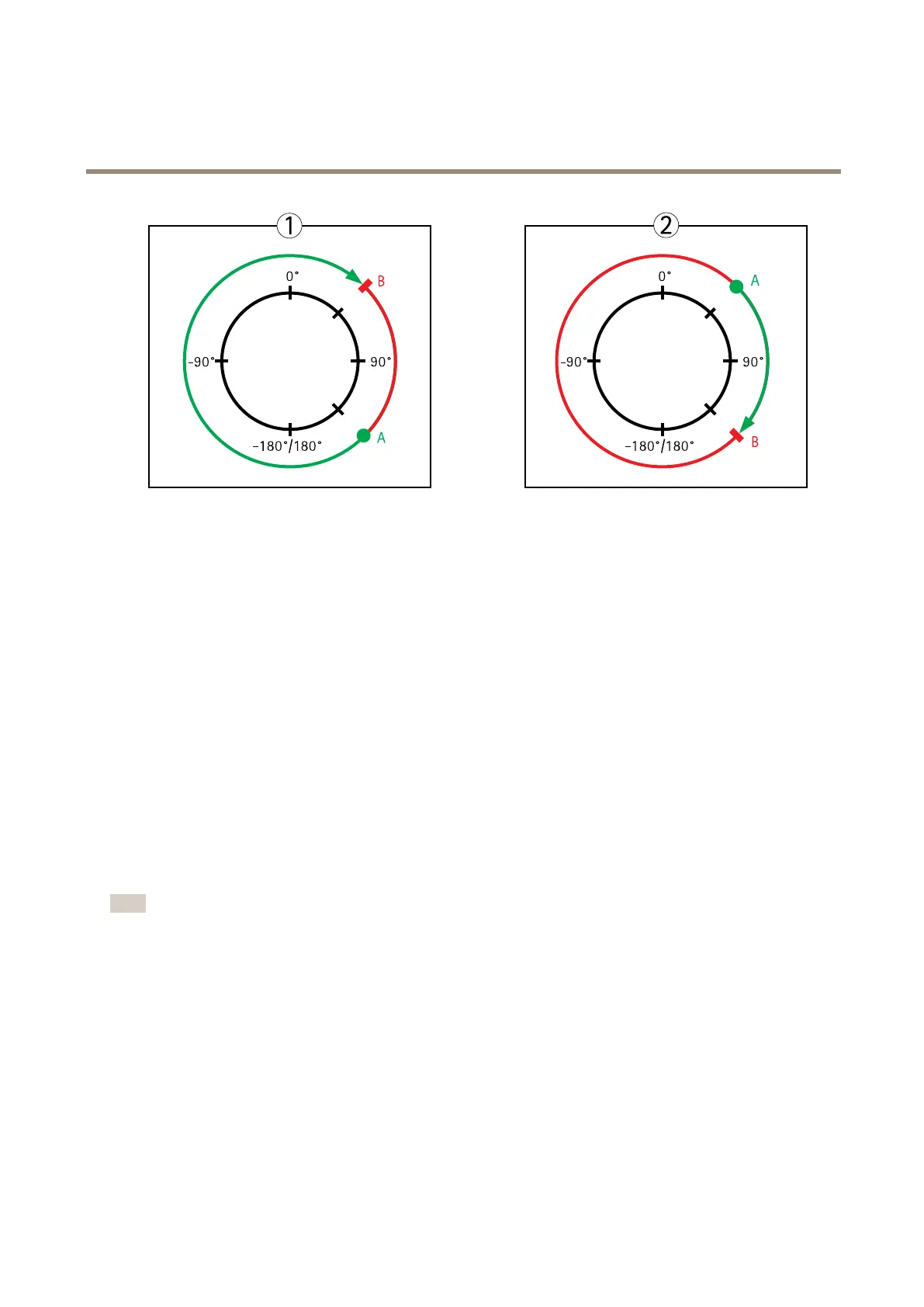
Topview
APanlimitstart
BPanlimitend
Gatekeeper
TheActiveGatekeepermonitorsanareasuchasanentrancegate.Whenmotionisdetectedinthemonitoredarea,theGatekeeper
will,dependingonconguration,steerthecameratoaselectedpresetpositionorstartautotrackingfromaselectedpresetposition.
Usingazoomed-inpresetpositioncanmakeitpossibleto,forexample,readalicenseplateoridentifyaperson.Whenmotion
isnolongerdetected,thecamerareturnstoitsHomepositionafteradenedtime.
ToenabletheGatekeeper,gotoPTZ>Gatekeeperandfollowtheonlineinstructions.
Itisalsopossibleto,forexample,recordvideoorsaveimages(takeasnapshot)whiletheGatekeeperisactive.GotoEventsandset
upanactionrulewithPTZPresetReachedorAutotrackingastrigger.
Aboutguardtours
Aguardtourdisplaysthevideostreamfromdifferentpresetpositions,one-by-one,inapredeterminedorderoratrandomandfor
congurabletimeperiods.Theenabledguardtourwillkeeprunningaftertheuserhasloggedofforclosedthebrowser.
TheguardtourcapabilityinthisAxisproductalsoincludestourrecording.TourrecordingisdescribedinTourRecordingonpage32.
Note
Forproductsthatsupportlimitedguardtours,thereisaxedminimumviewtimeof10seconds.
Howtocreateaguardtour
1.GotoSetup>PTZ>GuardTour.
2.ClickAdd.
3.Typeaname.
4.Specifythepauselengthbetweenruns.
5.Selectapresetpositionfromthedrop-downlistandclickAdd.
6.Tospecifyhowfastthecamerashouldmovetothepresetposition,enteravalueintheMoveSpeedeld.
7.Foreachpresetposition,entertheViewTimeinsecondsorminutes.
31



 To Next Page