AXISQ6055PTZDomeNetworkCamera
PTZ(PanTiltZoom)
ToincludethenameoftheOSDIzoneintheoverlaytext,gotoVideo&Audio<VideoStream<OverlaySettings.Checkthe
Includetextboxandenterthemodier#Lintheeld.Formoreinformationaboutmodiers,seeFileNaming&Date/Time
Formatsintheonlinehelp
.
Advanced
Limits
Denethepan,tilt,zoomandfocuslimitsfortheAxisproduct.Movementstotheleftandright,upanddown,canberestrictedto
narrowtheareaundersurveillance.
WhenEnableE-ipisselected,asittiltsdownandcontinuestopanbackwards,theAxisproductwillautomaticallycorrecttheview
andipit180degrees.Theleftlimitmustbesetto–180degreesandtherightlimitto180degreesfore-iptowork.
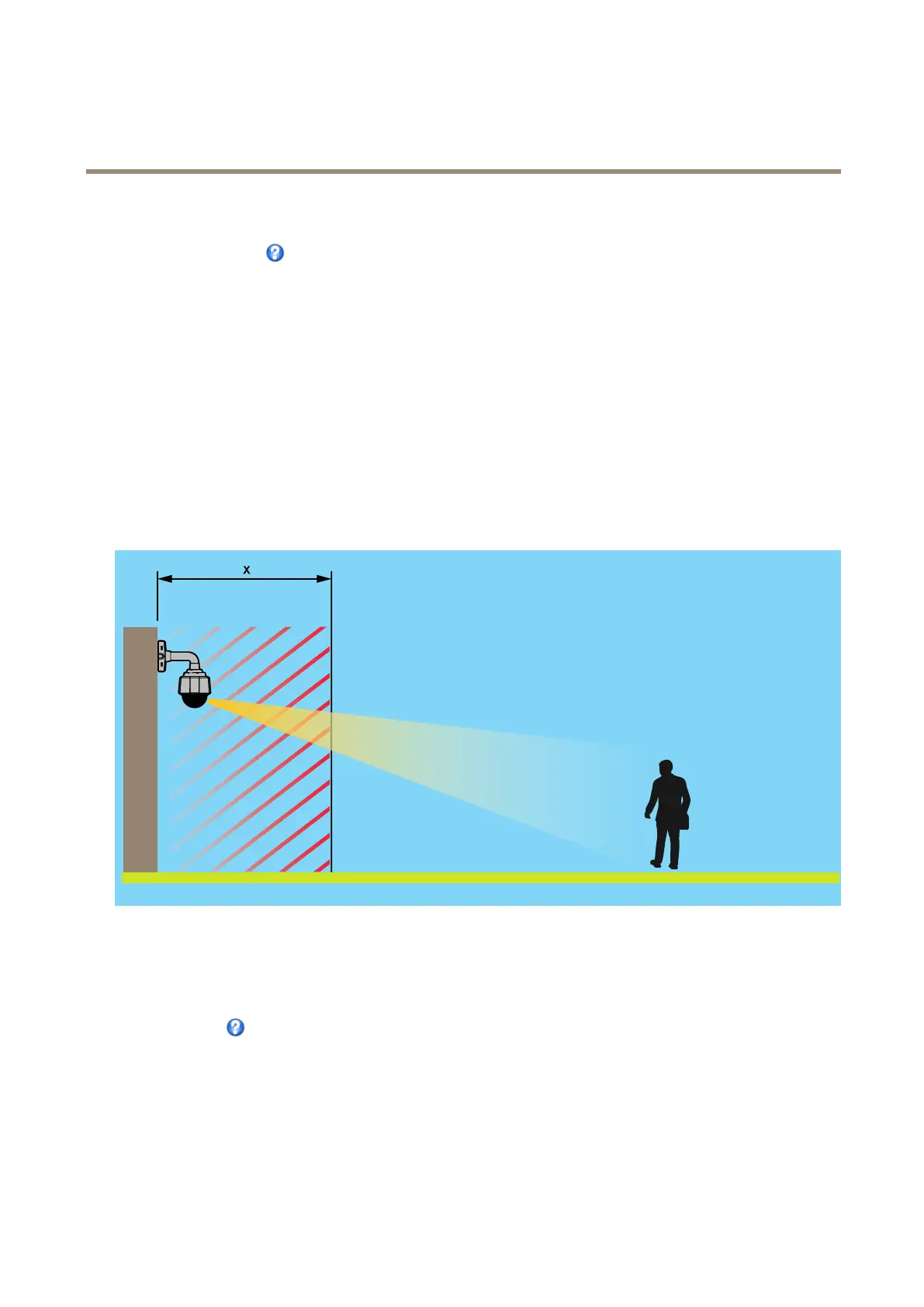
Nearfocuslimitisusedtopreventthecamerafromautofocusingonobjectsclosetothecamera.Thisway,thecameracanignore
objectssuchasoverheadwires,streetlights,orothercamerasplacedclosetothecamera.
Tomakethecamerafocusontheareasofinterest,setthenearfocuslimittoavaluethatisgreaterthanthedistanceatwhichthe
uninterestingobjectstendtoappear.Seeillustrationbelowwherexisthenearfocuslimitvalue.
Movespeedsetsthespeedofthecamera’spanandtiltmovements.Thedefaultsettingismaximumspeed.
Whenusingajoystick(oremulatingonewiththemouse)theEnableproportionalspeedsettingcanbeusedtoreducethemaximum
pan/tiltmovementspeed,i.e.thespeedthecameraviewmovesatwhenthejoystickispushedallthewayoutinanydirection.Thisis
usefulthentheviewiszoomedinonanobject.
Seetheonlinehelp
formoreinformation.
Controls
AdvancedPTZsettingscanbeconguredunderPTZ>Advanced>Controls.
ThePanelShortcutCommandButtonslistshowstheuser-denedbuttonsthatcanbeaccessedfromtheLiveViewpage’sCtrl
panel.ThesebuttonscanbeusedtoprovidedirectaccesstocommandsissuedusingtheVAPIX®applicationprogramminginterface.
ClickAddtoaddanewshortcutcommandbutton.
33



 To Next Page