AXISQ60-ESeries
Additionalsettings
Note
Ifyousettheshifttonightmodetooccurwhenit’sbrighter,theimageremainssharperastherewillbelesslow-light
noise.Ifyousettheshifttooccurwhenit’sdarker,theimagecolorsaremaintainedforlonger,buttherewillbemore
imageblurduetolow-lightnoise.
Reducenoiseinlow-lightconditions
Toreducenoiseinlow-lightconditions,youcanadjustoneormoreofthefollowingsettings:
•Adjustthetrade-offbetweennoiseandmotionblur.GotoSettings>Image>ExposureandmovetheBlur-noise
trade-offslidertowardLownoise.
Note
Ahighmaxshuttervaluecanresultinmotionblur.
•Toslowdowntheshutterspeed,setmaxshuttertothehighestpossiblevalue.
Note
Whenyoureducethemaxgain,theimagecanbecomedarker.
•Setthemaxgaintoalowervalue.
•Opentheaperture.
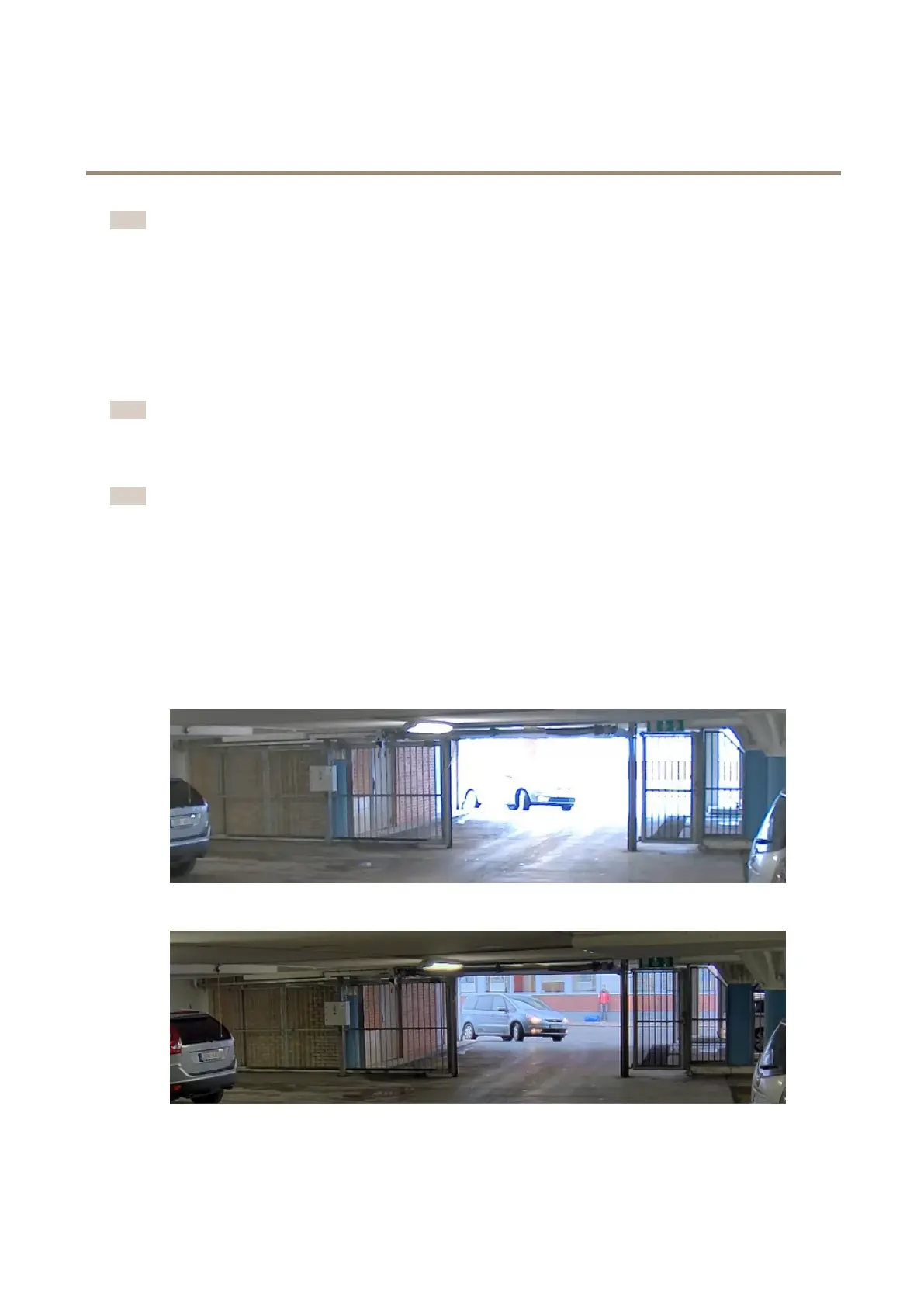
Handlesceneswithstrongbacklight
Dynamicrangeisthedifferenceinlightlevelsinanimage.Insomecasesthedifferencebetweenthedarkestandthebrightest
areascanbesignicant.Theresultisoftenanimagewhereeitherthedarkorthebrightareasarevisible.Widedynamicrange
(WDR)makesbothdarkandbrightareasoftheimagevisible.
ImagewithoutWDR.
ImagewithWDR.
8



 To Next Page