AXISQ60-ESeries
Additionalsettings
Note
•WDRcancauseartifactsintheimage.
•WDRmaynotbeavailableforallcapturemodes.
1.GotoSettings>Image>Widedynamicrange.
2.TurnonWDR.
3.TosettheamountofWDR,selectLow,MediumorHighfromtheWDRlevellist.
4.Ifyoustillhaveproblems,gotoExposureandadjusttheExposurezonetocovertheareaofinterest.
FindoutmoreaboutWDRandhowtouseitataxis.com/web-articles/wdr.
Verifythepixelresolution
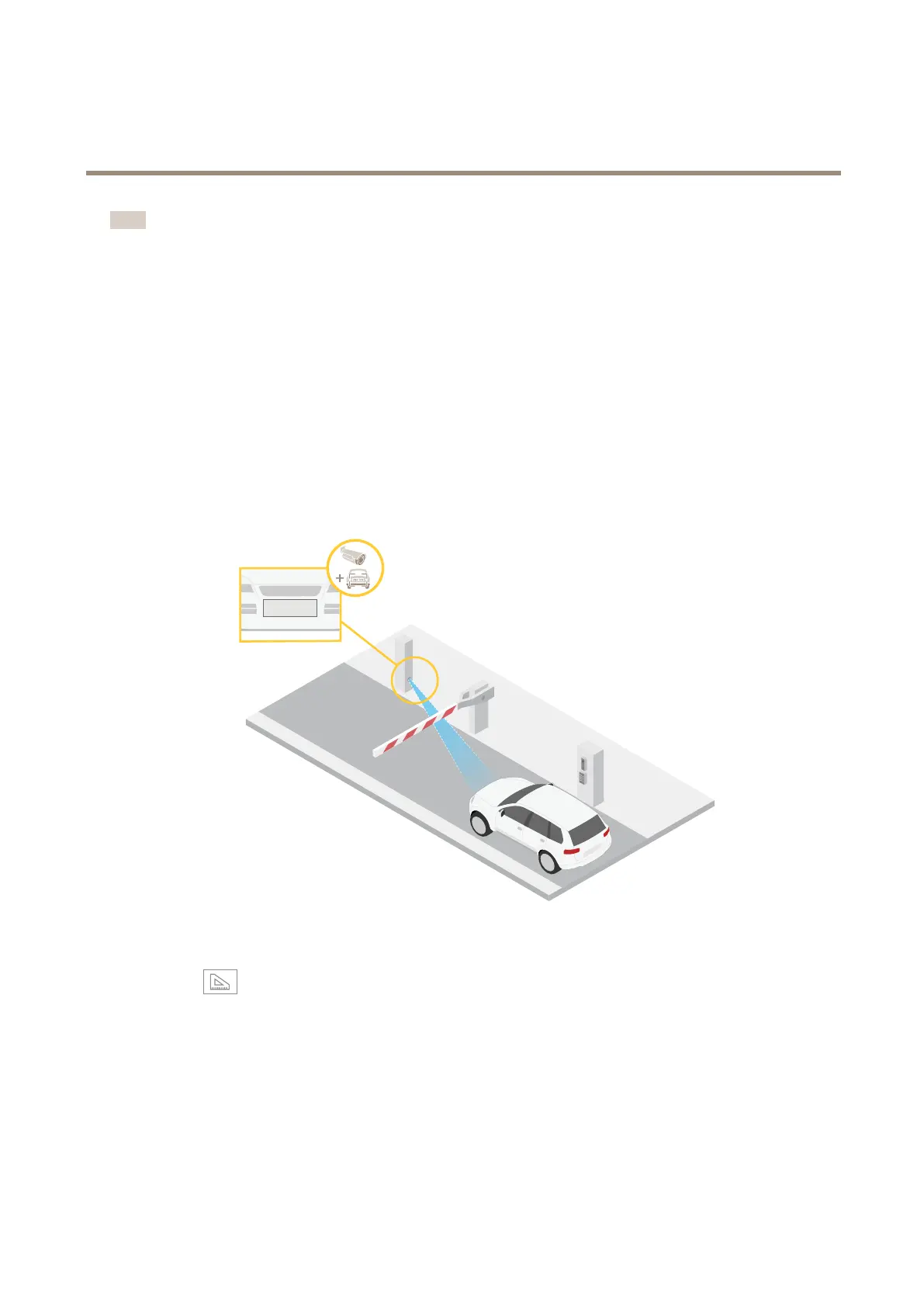
Toverifythatadenedpartoftheimagecontainsenoughpixelsto,forexample,recognizelicenseplates,youcanusethepixel
counter.
1.GotoSettings>System>Orientation.
2.Click
.
3.Inthecamera’sliveview,adjustthesizeandpositionoftherectanglearoundtheareaofinterest,forexamplewhereyou
expectlicenseplatestoappear.
Youcanseethenumberofpixelsforeachoftherectangle’ssides(XandY),anddecideifthevaluesareenoughfor
yourneeds.
Hidepartsoftheimagewithprivacymasks
Youcancreateoneorseveralprivacymaskstohidepartsoftheimage.
9



 To Next Page