AXISQ7436VideoEncoderBlade
SetUptheProduct
Videoinput
•EnteradescriptivenameforyourvideosourceintheVideosourcenameeld.
•ThevaluesintheOffsetAdjustmentseldsaffectthehorizontalandverticalsynchronizationfortheimage.Thiscan
beusedtoeliminateanyblackbordersurroundingtheimage.Highvalues,bothnegativeandpositivecanputthe
imageoutofsync.
•De-interlacing-isusedtoimprovevideostreamimagequalityfromanalogdevices.Selectanyofthefollowingoptions
fromtheDe-interlacingdrop-downlist.SelectNoneifde-interlacingisnotnecessary;Blendingforimprovedimage
qualitythatisnotasprocessorintensive;AdaptiveInterpolationperformsde-interlacingofthevideostreambyapplying
differentltersontheimage.ThismaygiveabetterresultthanMotionAdaptiveInterpolationinrarecases;Motion
AdaptiveInterpolationperformsde-interlacingofthevideostreambyapplyingdifferentltersdependingonthemotion
indifferentpartsoftheimage.Thiswillinmostcasesresultinthebestimagequality.
•Antialiasingwillminimizedistortionknownasaliasing,whichhappenswhenahigh-resolutionimageisrepresentedat
alowerresolution.
75Ohmvideoterminationcanbeenabled/disabledviatheproduct'swebpageatVideo>VideoInput>Videotermination.
Videoterminationisenabledonfactorydefault.Iftheproductisconnectedinparallelwithotherequipment,foroptimumvideo
quality,itisrecommendedthatvideoterminationisenabledonlyforthelastdeviceinthevideosignalchain.
Aboutoverlays
Overlaysaresuperimposedoverthevideostream.Theyareusedtoprovideextrainformationduringrecordings,suchasatimestamp,
orduringproductinstallationandconguration.
Aboutoverlaytext
Anoverlaytextcanincludethecurrentdateandtime,oratextstring.Whenusingatextstring,so-calledmodierscanbeusedto
display,forexample,thecurrentbitrateorthecurrentframerate.
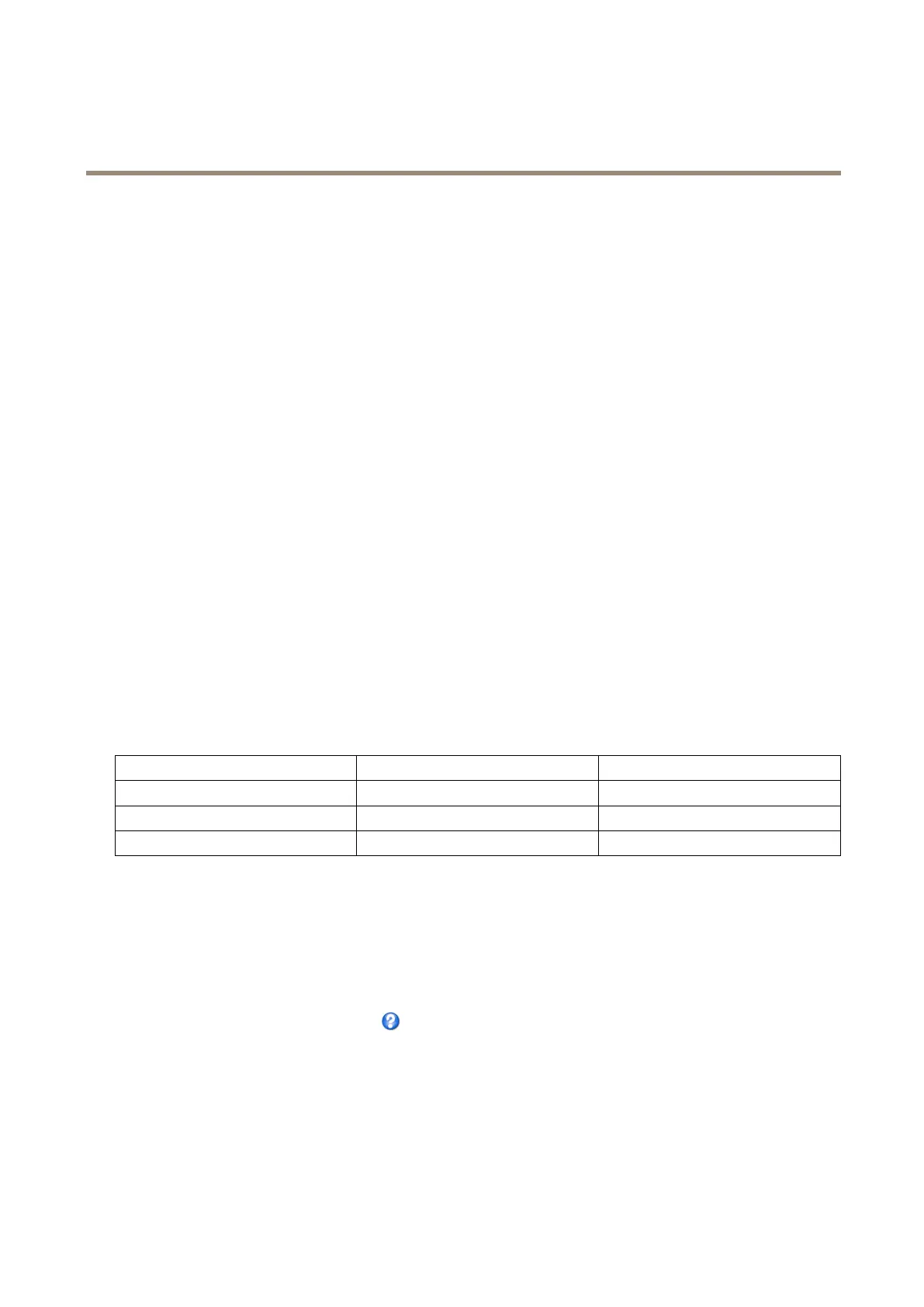
Youcanchoosebetweenthefollowingtextoverlaysizes:
Size
TextheightBackgroundheight
Small
10pixels20pixels
Medium16pixels28pixels
Large21pixels36pixels
Itisalsopossibletodisplaytextwhenanactionruleistriggered,seeHowtoincludeoverlaytextinanactionruleonpage22.
Howtoincludeoverlaytext
1.GotoVideo>VideoStreamandselecttheImagetab.
2.Toincludedateandtime,selectIncludedateandIncludetime.
3.Toincludeatextstring,selectIncludetextandenterthetextintheeld.Modierscanbeused,seeFileNaming&
Date/TimeFormatsintheonlinehelp
.
4.Selectsize,color,andplacementofthetextstring.
5.ClickSave.
Tomodifythedateandtimeformat,gotoSystemOptions>Date&Time.SeeDate&Timeonpage48.
21



 To Next Page