EN-33 EN-34
12.VoicePrompts
Description
During recording once G-Sensor
triggered
Default ON, after powered on, say it
Press and hold Wi-Fi button for 3s
to switch off, say it
Wrong/bad/fake memory card
After powered on and boot ringtone
/operate via App, say it
Operate via App, say it
Take picture via App, say it
Format memory card successfully
Format memory card failed
Prompt Voice
Current Video is locked
WiFi ON
WiFi OFF
Memory card error
Recording started
Recording stopped
Sound as “Click”
Format Successfully
Format Failed
11.FirmwareUpdate
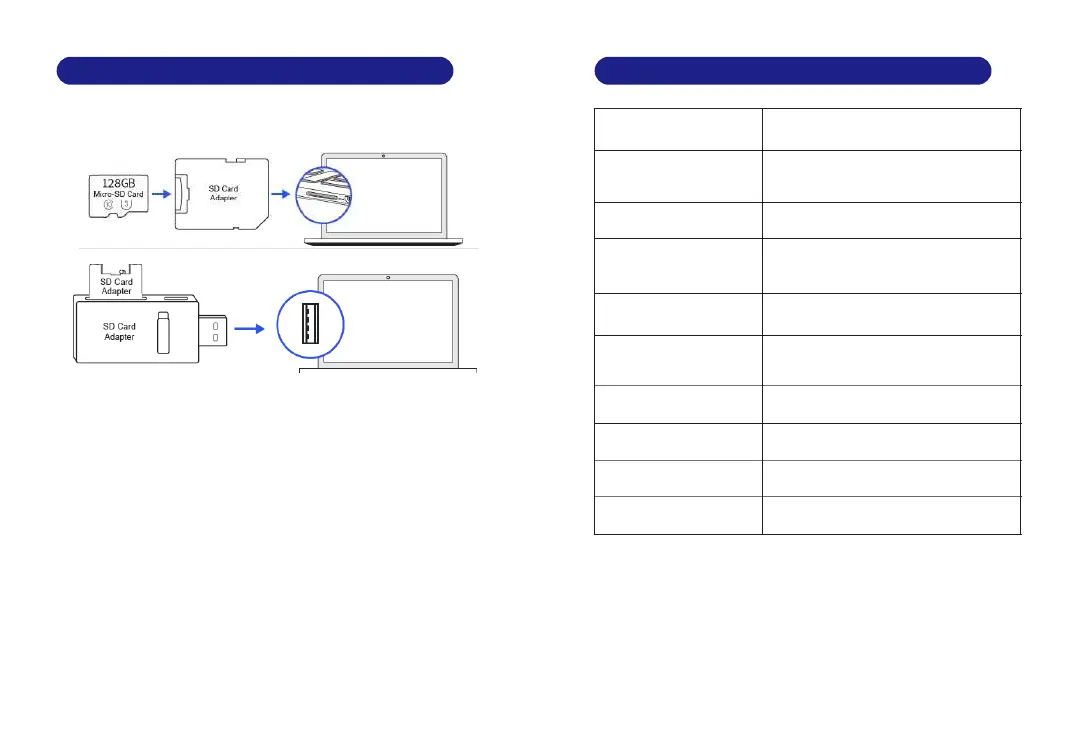
1. Remove the microSD card from the dashcam.
2. Insert the card into the microSD card reader and connect it to a
computer.
3 Download the latest M301 Firmware from . www.azdomes.com
> Support > Downloads on your computer.
4. Unzip the downloaded firmware (Zip file) and copy the firmware
file named “******.bin” to the root directory of microSD card.
. Connect the camera to the car charger to start the firmware 5
update process. You should which see the red light will be solid
means your M301 dash camera is updating the new firmware.
Please NOTE:
The firmware update may take up to about mins. So please be 1
patient. Make sure the POWER does NOT get disconnected while
the firmware is being updated. Once the firmware is updated, the
camera will turn OFF automatically.
. You can turn on and check the latest firmware version by going 6
into the APP's > Firmware Version.settings



 To Next Page