EN-05 EN-06
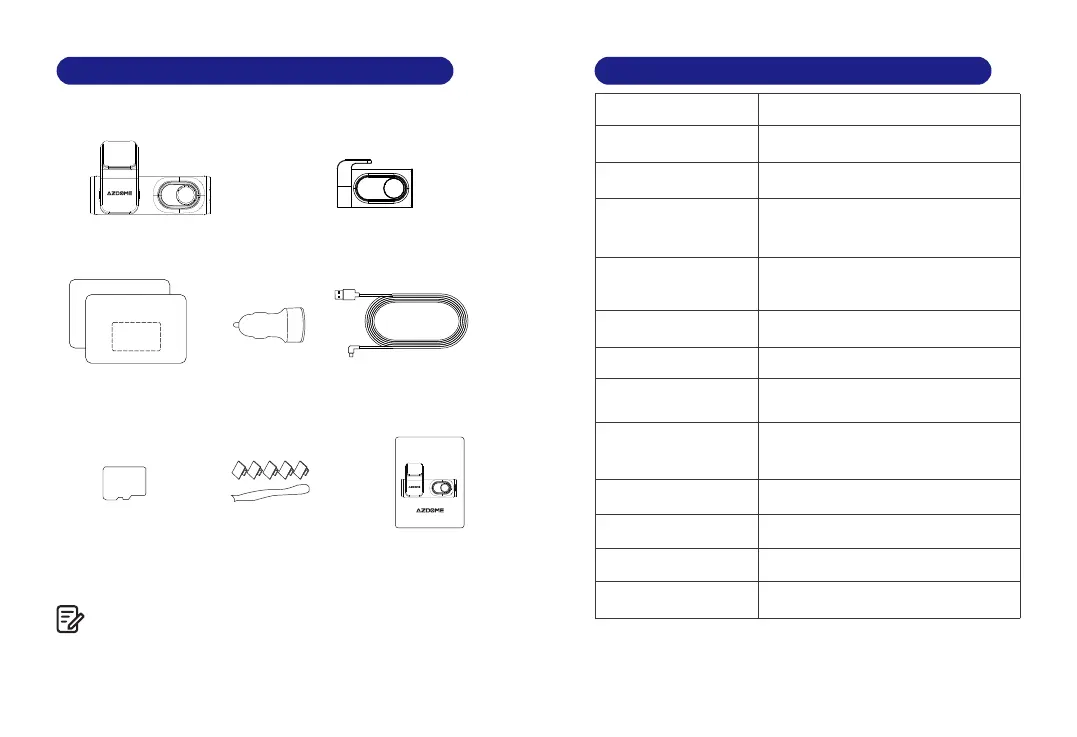
3. In The Box
Check the box for each of the following items before installing
the dash cam.
1. To improve the performance of the product, the contents of
this manual are subject to change without prior notice.
Note:
Front dash camera ×1
Pry tool x 1
Storage card x1
Rear camera (6M/20ft)×1
Car charger ×1
Electrostatic films x2
Cable clips x 5
Micro USB Power
cable (3.5M/12ft)×1
User manual x 1
64GB
M301
F=1.8
Black
English / 日本語 / Deutsch / Français /
Español / Italiano / Русскии.etc
Max support 128GB (U3 Speed,
Not included)
H.264
JPG
MP4
-2560x1440P 25fps+1280x720P 25fps
-2340 x1296P 25fps+1280x720P 25fps
-1920 x1080P 30fps+1280x720P 25fps
Built-in
4. Specif ication
Model
Aperture
Color
Language
Memory
Video Code
Photo Format
Video Compression
Mode
Video Resolution
WiFi
Built-in Super Capacitor
5V/2.5A
-20°C to 70°C (-4°F to 158°F)
Battery
Power Interface
Operation Temperature
WarmP rompt
1.Pleasepastetheelectrostaticfilmnearthetopofthefron
2.PleaseinserttheSDcardandUSBPowercable
3.Pleaseslickthedeviceintothedottedbox
WarmP rompt
1.Pleasepastetheelectrostaticfilmnearthetopofthefron
2.PleaseinserttheSDcardandUSBPowercable
3.Pleaseslickthedeviceintothedottedbox
2K
Wifi
User Manual
M30 1
Enjo y Your Smart D rivin g
www. azdom es.co m
2K
Wifi



 To Next Page