EN-23 EN-24
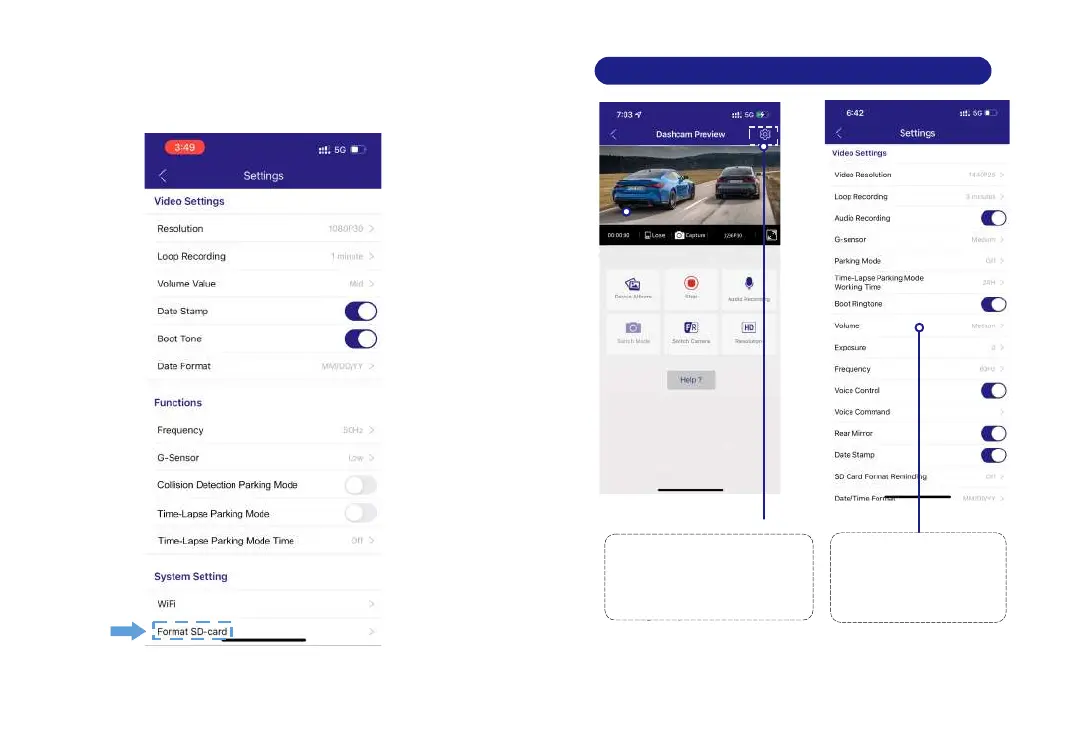
9. General Setting
PleaseSTOPrecording
first,thenressthe‘ Device
Album’togetPhoto,Video,
Emergencyfiles.
Go to Dashcam Preview
interface.
Please STOP recording first,
then press the settings icon.
1
Select what you
need to set.
2
8.3 Format Micro-SD Card
Please connect to AZDOME APP, using the function menu
named “Format SD Card” to do.



 To Next Page