4ª 10103 (GB) 6 - 2008
17
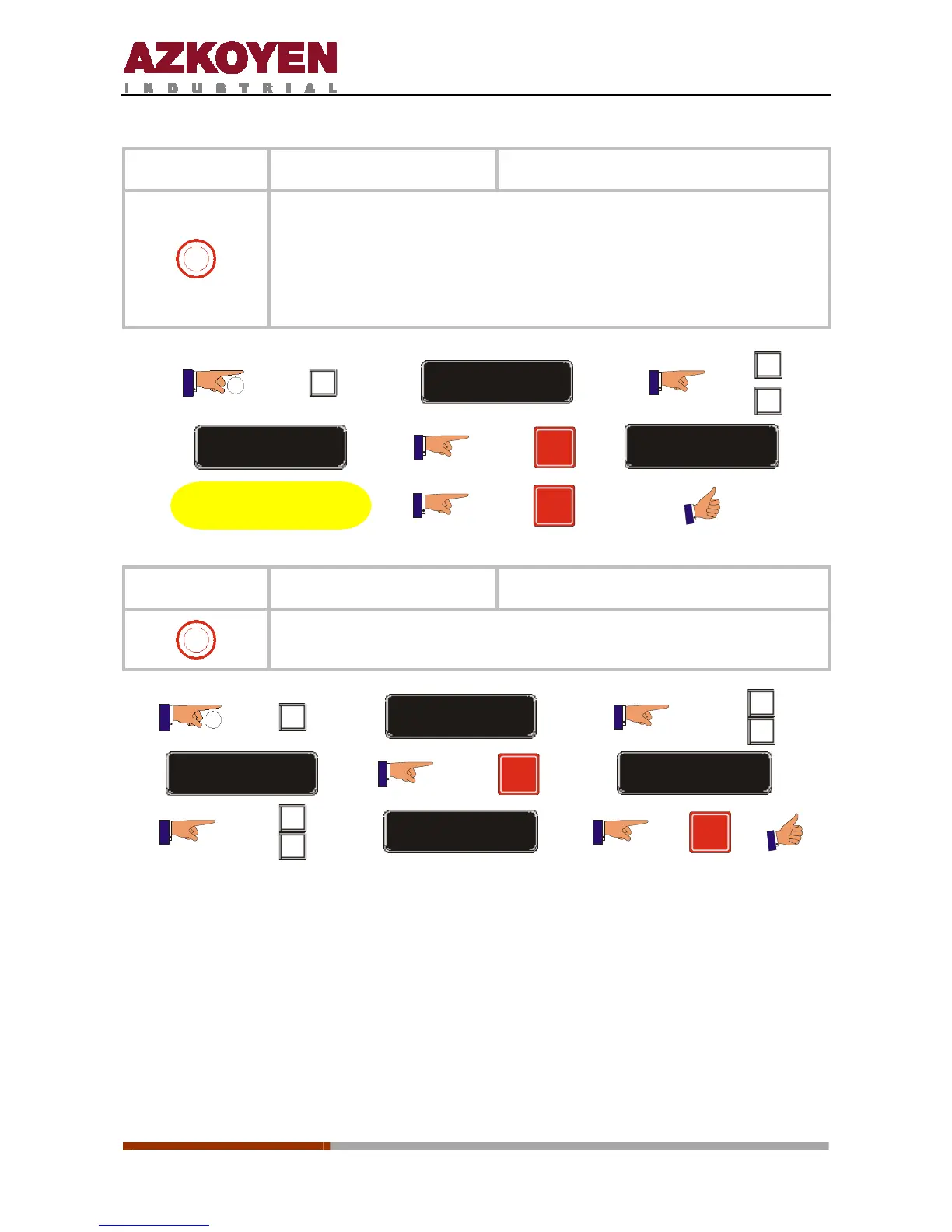
Function 096
<<PRINT LOG>> Print the incident log
2
To execute this function, the machine must have a wiring loom Ref.
43105550 connected to a printer to print out the log.
When this function is executed, the machine will print a list of the
incidents registered in the function 098 through the RS232 port on the
machine.
2”
C
FUNCTION = 000
A
B
FUNCTION = 096
R
ASCII -> RS232
Execute the operation
R
Function 098
<<CHECK RECORD>> Check the incident log on the display
2
This shows on the display list of the incidents that have occurred on the
machine indicating the date and time of the incident.
2”
C
FUNCTION = 000
A
B
FUNCTION = 098
R
SHOW INCIDENT
A
B
SHOW NEXT INCIDENT
R



 To Next Page