4. Settings
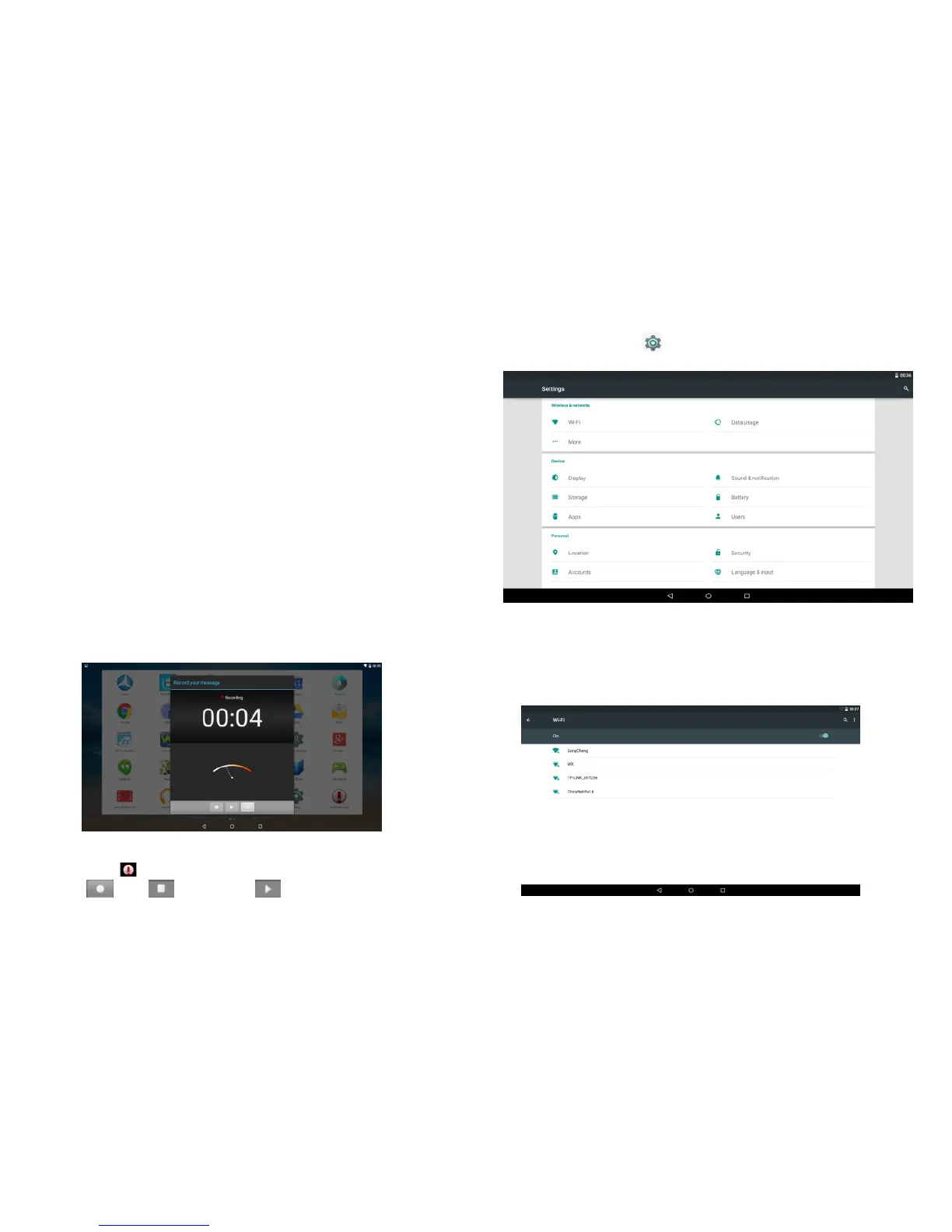
Click on Settings , will appear a setting menu as below.
4.1 Wireless & networks
Connect with Internet
The Azpen tablet can connect to the internet by using
Wi-Fi.
Go to Settings > Wireless & Networks > Wi-Fi .
Click “local” on the left , then click “ homepage” Manage three
types of memory in this tablet.
a. Internal Storage
b. External Sdcard
c. USB Storage
1. The name “o” is internal storage file.
2. The name ”extsd” is external sdcard file.
3. The name “usbhost” is USB storage file.
File manager features.
* Operate files (Copy, Paste, Cut/Move, Create, Delete and
Rename, Share/Send) in the phone and computers.
* Multi select files
* Application manager -- Manage apps (Install, Uninstall,
Backup, Shortcuts, Category)
* View different file formats, photos, docs, videos anywhere,
support third party applications such as Document To Go to
open document files
3.7 Recording.
Click on icon to start recording. Record a voice note by
tap , tap to stop, tap to play.
Make sure turn on Wi-Fi.
-17-
-18-


 To Next Page