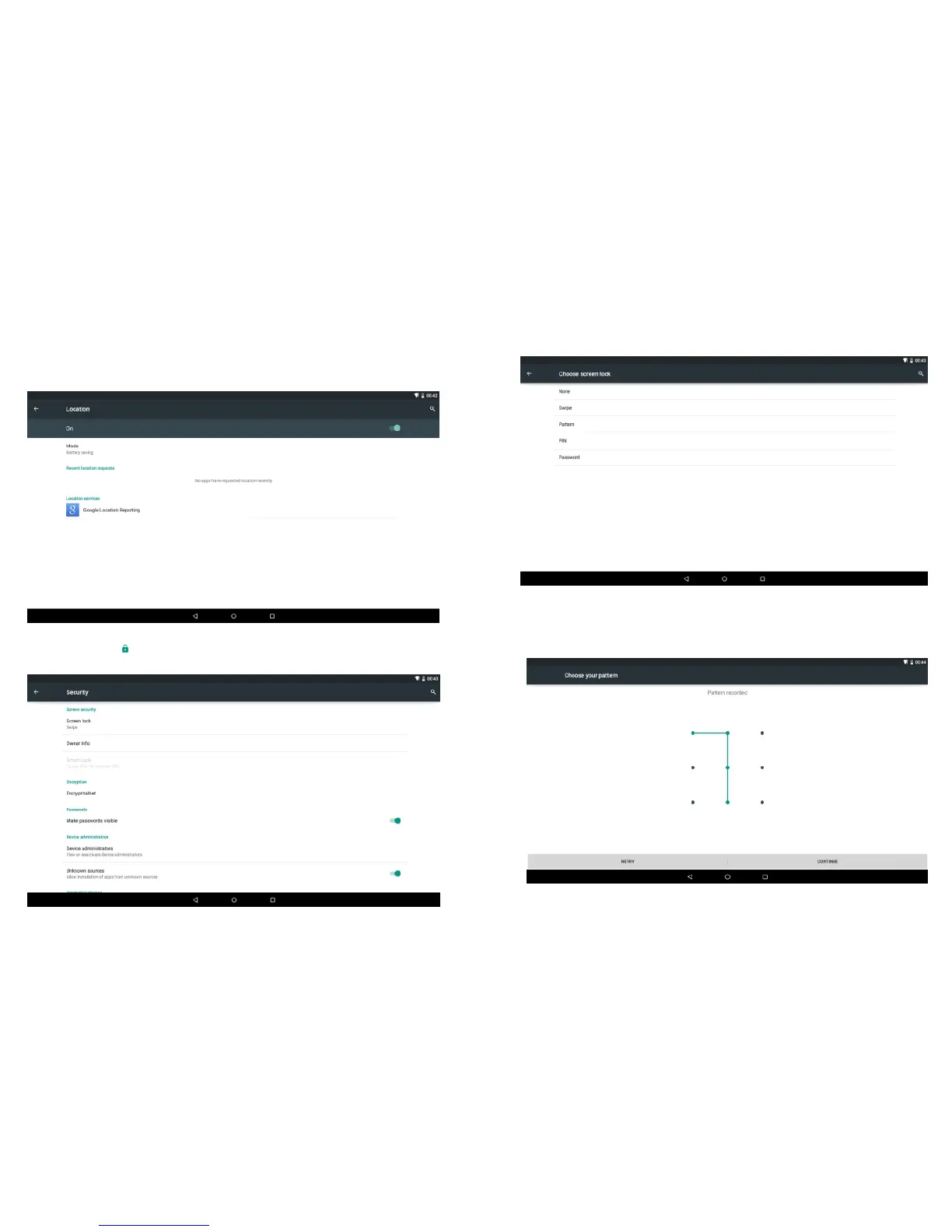
Location
Touch the off/on bar to turn Location on to use Google’s
location service
4.8 Personal
Security
Tap the icon to enter the security settings interface as
below:
Screen lock: Tap "screen lock" to select screen lock with none,
swipe,pattern, or password ,PIN .
Unlock screen by a pattern: Draw the unlock pattern with a
minimum of 4 points, tap "Continue" to complete the setting.
-23-
-24-


 To Next Page