EasyManua.ls Logo

B. Braun Vista basic - Sensor and Temperature Testing

B. Braun Vista basic
55 pages
Print Icon
To Next Page IconTo Next Page
To Previous Page IconTo Previous Page
Loading...
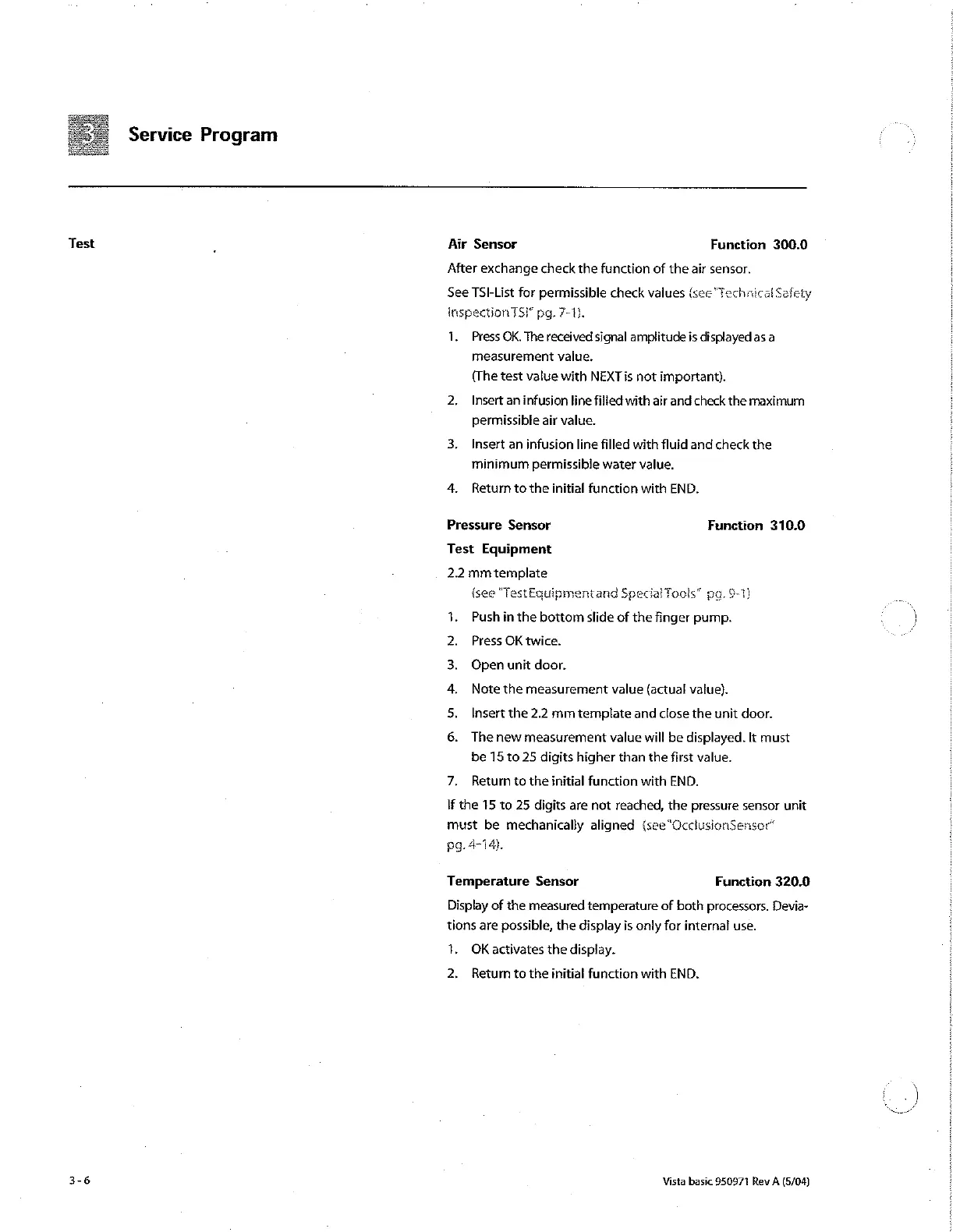
Service
Program
Test
.
Air
Sensor
Function
300.0
After
exchange
check
the
function
of
the
air
sensor.
See
TSI-List
for
permissible
check
values
(see
inspection
TSF
pg.
72-15.
schnical
Safety
1.
Press
OK.
The
received
signal
amplitude
is
displayed
as
a
measurement
value,
(The
test
value
with
NEXT
is
not
important).
2.
Insert
an
infusion
line
filled
with
air
and
check
the
maximum
permissible
air
value.
3.
Insert
an
infusion
line
filled
with
fluid
and
check
the
minimum
permissible
water
value.
4.
Return
to
the
initial
function
with
END.
Pressure
Sensor
Function
310.0
Test
Eguipment
2.2
mm
template
{see
“Test
Eguinmentand
Special
Tools”
po.
9-1)
Push
in
the
bottom
slide
of
the
finger
pump.
:
İ
Press
OK
twice.
|
Open
unit
door.
Note
the
measurement
value
(actual
value).
Insert
the
2.2
mm
template
and
close
the
unit
door.
pu
ウー
The
new
measurement
value
will
be
displayed.
It
must
be
15
to
25
digits
higher
than
the
first
value.
7.
Return
to
the
initial
function
with
END.
If
the
15
to
25
digits
are
not
reached,
the
pressure
sensor
unit
must
be
mechanically
aligned
isee"OcclusionSensor“
pg.
4-14}.
Temperature
Sensor
Function
320.0
Display
of
the
measured
temperature
of
both
processors.
Devia-
tions
are
possible,
the
display
is
only
for
internal
use.
1.
OK
activates
the
display.
2.
Return
to
the
initial
function
with
END.
3-6
Vista
basic
950971
Rev
A
(5/04)

Other manuals for B. Braun Vista basic

Related product manuals