EasyManua.ls Logo

B. Braun Vista basic - History Data; Operating Alarms

B. Braun Vista basic
55 pages
Print Icon
To Next Page IconTo Next Page
To Previous Page IconTo Previous Page
Loading...
Service
Program
History
Data
Vista
basic
950971
Rev
A
(5/04)
Operating
Hour
Counter
Function
200.0
1.
OK
activates
the
display.
2.
Return
to
the
initial
function
with
END.
Battery
Operating
Hours
Function
210.0
1.
OK
activates
the
display.
2.
Return
to
the
initial
function
with
END.
Pump
Head
Cycles
Function
220.0
Display
of
the
pump
head
cycles
(delivered
volume).
1.
OK
activates
the
display.
2.
Return
to
the
initial
function
with
END.
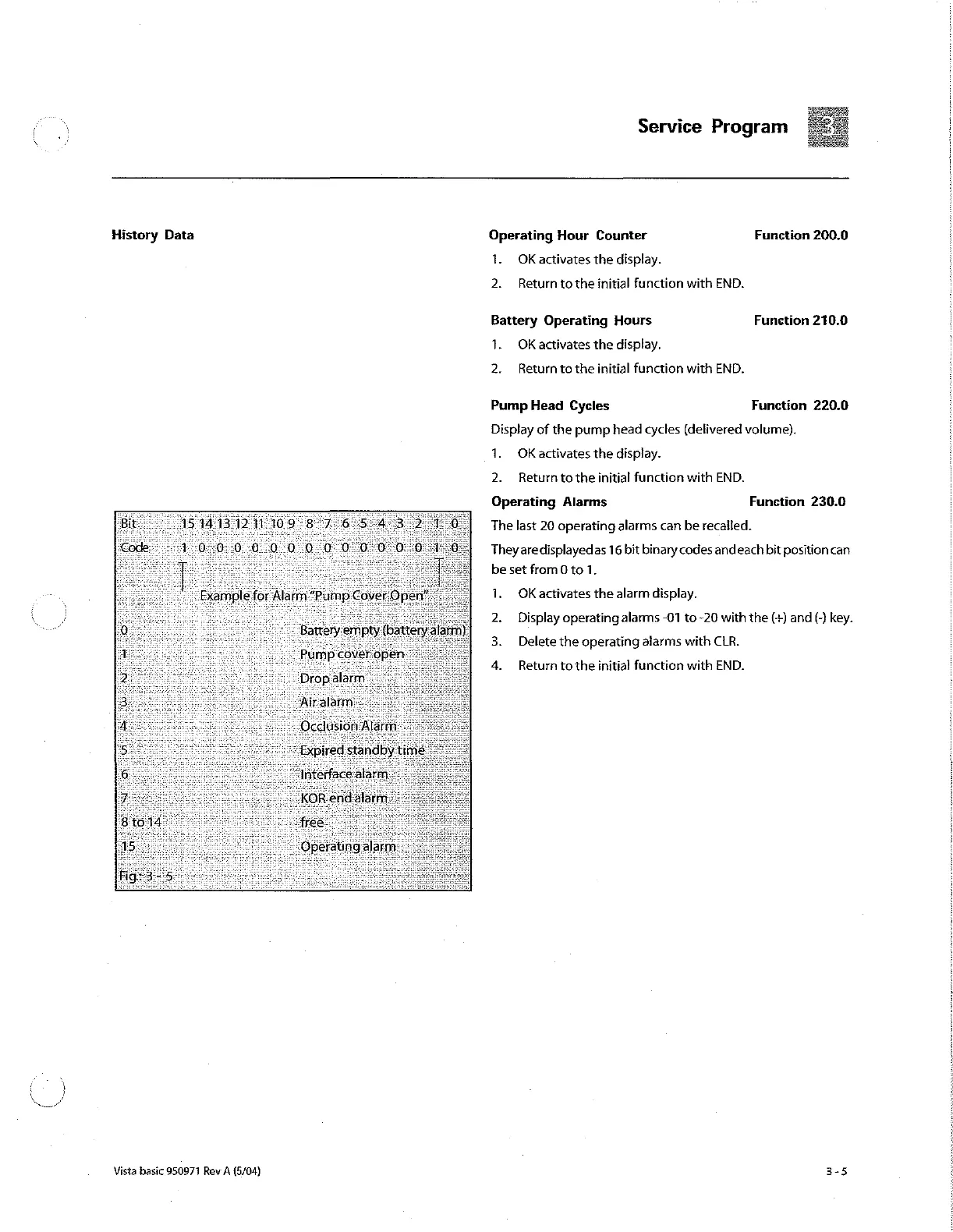
Operating
Alarms
Function
230.0
The
last
20
operating
alarms
can
be
recalled.
They
aredisplayedas
16
bit
binary
codes
andeach
bit
positioncan
be
set
from
0
to
1.
1.
OK
activates
the
alarm
display.
Display
operating
alarms
-01 to
-20
with
the
(+)
and
(-)
key.
Delete
the
operating
alarms
with
CLR.
PEN
Return
to
the
initial
function
with
END.

Other manuals for B. Braun Vista basic

Related product manuals