EasyManua.ls Logo

B. Braun Vista basic - Page 30

B. Braun Vista basic
55 pages
Print Icon
To Next Page IconTo Next Page
To Previous Page IconTo Previous Page
Loading...
Service
Program
009
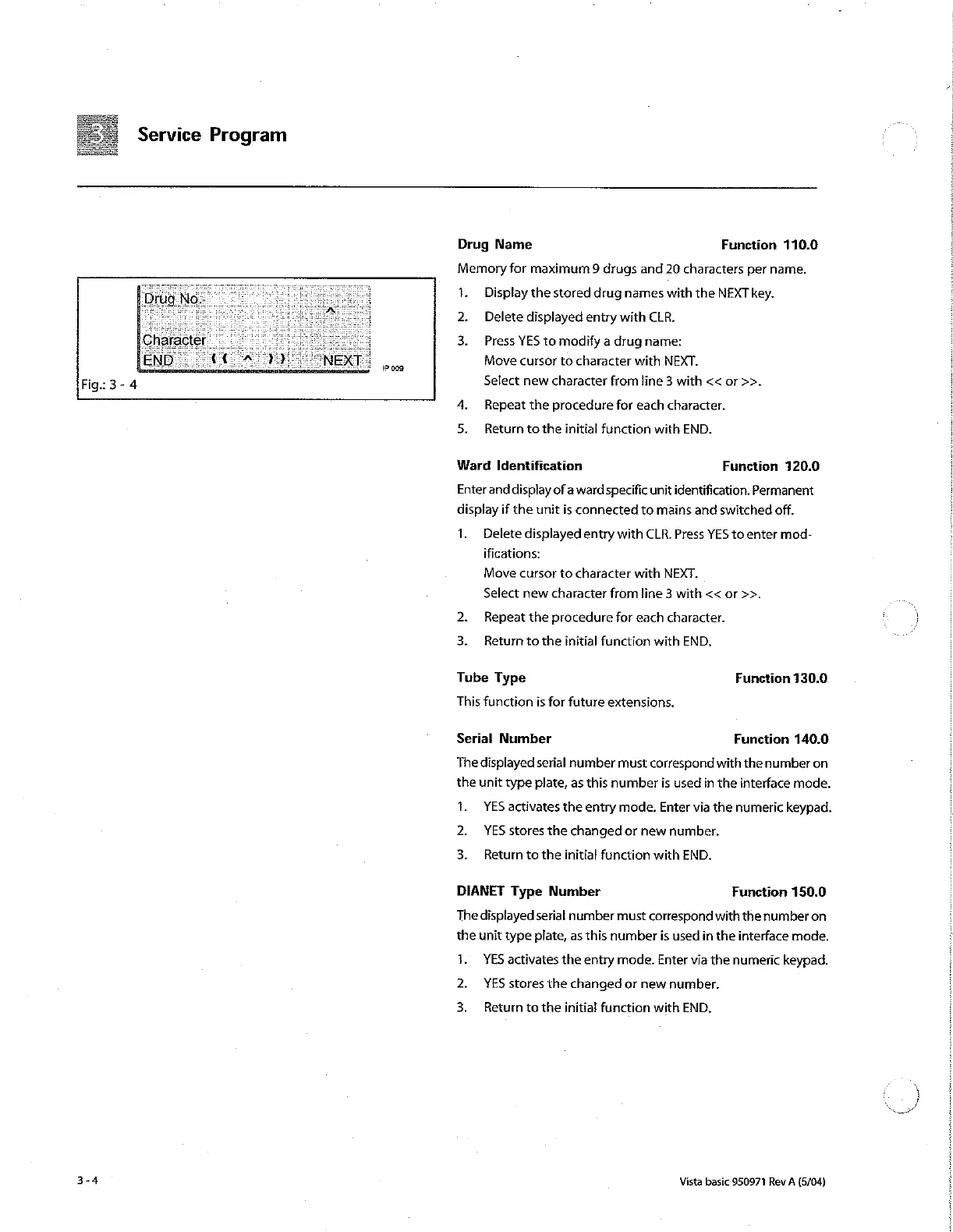
Drug
Name
Function
110.0
Memory
for
maximum
9
drugs
and
20
characters
per
name.
1.
Display
the
stored
drug
names
with
the
NEXT
key.
2.
Delete
displayed
entry with CLR.
3.
Press
YES
to
modify
a
drug
name:
Move
cursor
to
character
with
NEXT.
Select
new
character
from
line
3
with
<<
or
>>.
4.
Repeat
the
procedure
for
each
character.
Return
to
the
initial
function
with
END.
Ward
Identification
Function
120.0
Enter
and
display
of
a
ward
specific
unit
identification.
Permanent
display
if
the
unit
is
connected
to
mains
and
switched
off.
1.
Delete
displayed
entry
with
CLR.
Press
YES
to
enter
mod-
ifications:
Move
cursor
to
character
with
NEXT.
Select
new
character
from
line
3
with <<
or
>>.
2.
Repeat
the
procedure
for
each
character.
3.
Return
to
the
initial
function
with
END.
Tube
Type
Function
130.0
This
function
is
for
future
extensions.
Serial
Number
Function
140.0
The
displayed
serial
number
must
correspond
with
the
number
on
the
unit
type
plate,
as
this
number
is
used
in
the
interface
mode.
1.
YES
activates
the
entry
mode.
Enter
via
the
numeric
keypad.
2.
YES
stores
the
changed
or
new
number.
3.
Return
to
the
initial
function
with
END.
DIANET
Type
Number
Function
150.0
The
displayed
serial
number
must
correspond
with
the
number
on
the
unit
type
plate,
as
this
number
is
used
in
the
interface
mode.
1.
YES
activates
the
entry
mode.
Enter
via
the
numeric
keypad.
2.
YES
stores
the
changed
or
new
number.
3.
Return
to
the
initial
function
with
END.
Vista
basic
950971
Rev
A
(5/04)

Other manuals for B. Braun Vista basic

Related product manuals