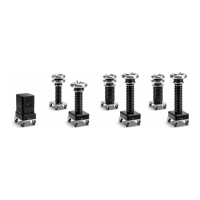
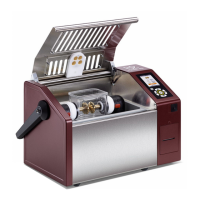
PD Test Setup
© b2 electronic GmbH DHV0088 39
Step Procedure (PD30-E Test Setup) Art.Nr.
Connect all earth cables
• DUT (Device under Test)
• HVA
• PD30-E
GH0522
GH0576
Connect HV cables
• between HVA and PD30-E -> use PD impedance
• between PD30-E and DUT (as short as possible);
above 10kV use Corona Shields (KMD0081)
GH0808&GH0581
GH0567
1
Connect Power Supply Plug
• HVA
• PD30-E (battery/mains); If PD is connected with power source battery is charging!
KEK0038
KEK0038
Connect Communication Ports
• between PC and PD30-E via USB Cable
• between PC and HVA via Bluetooth (after unit is switched on)
• Plug b2 Dongle at PC for b2 Suite Software
GH0586
KDG0011
GH0900
Verify Connections
• Check that all cables are attached securely.
Turn key switch tothe“ON”position
NOTICE
Establish secure earthing via connection
1
ConnectHVAmainearthleadrst
1
and remove last!
1
for longer distance GH0550/ GH0551)



 To Next Page