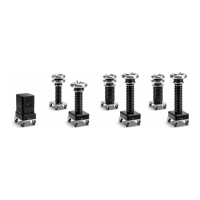
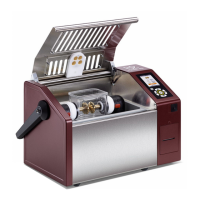
PD Test Setup
© b2 electronic GmbH DHV0088 59
Step
PDTD-2 Disconnection
Art.Nr.
Switch units OFF
• HVA Emergency OFF
• HVA main switch
• Lock HVA in disabled state to prevent against unauthorized use:
Turn Key switch to OFF Position and remove Key
• PD main switch
Disconnect power supply cables from power supply plug
• Disconnect power supply cable from HVA
• Disconnect power supply cable from PD-2 CC (Battery/Mains)ifit’sconnected.
KEK0038
KEK0038
Disconnect Communication Ports
• Disconnect the USB cable between PC and PD-2 CC
• Disconnect the Opto Converter between PC and HVA via Opto Converter
• Unplug the b2 Dongle from PC
GH0586
GH0624
GH0900
Disconnect Test Lead
• Disconnect Test Lead between HVA and PD-2 Filter (and PD impedace )
• Disconnect Test Lead between PD-2 Filter and PD-2 CC
• Disconnect Test Lead between PD-2 CC and DUT
use for the DUT Connection KES0209 MC socket connection and KMD0081 corona shield
GH0808,GH0581
GH0567
1
GH0550
1
Disconnect all Earth cables
•Establishashort-circuitconnectiontothecouplingcapacitorandtothelterandmakesurethat
the short-circuit connection remains also during transportation.
• Disconnect HVA eathing cable
• Disconnect earthing cable between PD-2 Filter and PD-2 CC and ground .
• Disconnect earthing cable from DUT
GH0522
GH0575&GH0576
GH0576



 To Next Page